.png)
English
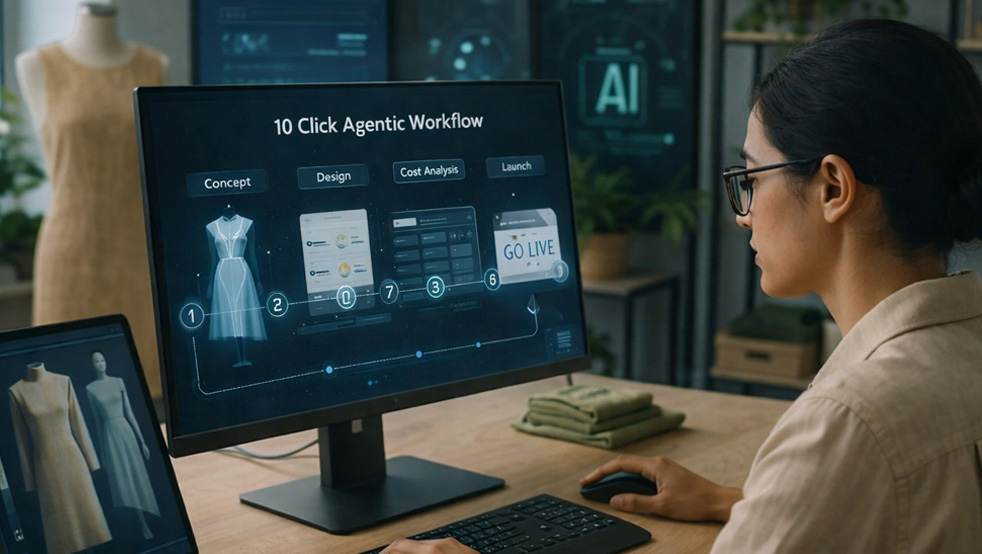
Agentic workflow automation is reshaping how digital and physical products go from idea to launch. Instead of stitching together dozens of disconnected tools and handoffs, an agentic workflow uses coordinated AI agents to plan, create, test, and ship with minimal human intervention. In this post, we’ll outline a complete AI workflow from sketch to shelf that gets you from first concept to live product in roughly 10 decisive clicks.
Traditional product development stacks are full of friction: design files lost in email threads, manual spreadsheet updates, Jira tickets waiting on approvals, and disconnected marketing tools. According to a 2023 McKinsey study, teams spend up to 30% of their product development time on coordination rather than creation (McKinsey, 2023). Agentic workflow automation attacks this waste directly by letting specialized AI agents take over routine coordination, data translation, and first‑draft generation across the entire lifecycle.
We’ll keep the focus on practical, end-to-end agentic process design: how agents hand work to each other, where humans stay in the loop, and what actually needs to be clicked.
Real‑world adopters are already seeing impact. VentureBeat reports that companies experimenting with AI agents across design, testing, and launch have cut “idea to release” times by 20–40% while reducing manual errors in key assets like specs and marketing copy (VentureBeat, 2024). Similar research from Forbes finds that organizations using AI in end‑to‑end product development are 2.5x more likely to hit launch dates compared with peers (Forbes Tech Council, 2024).
By the end, you’ll have a clear, actionable blueprint for designing your own 10 click, sketch‑to‑shelf workflow, plus key questions around integration, governance, and security you should address before you scale. You’ll also see concrete examples of how to start with a single product line or feature and gradually evolve toward a fully agentic workflow automation stack.
An effective end-to-end agentic process starts with a simple question: what are the human decisions that genuinely require a click, and what can be fully delegated to AI agents? At a high level, the “sketch to shelf in 10 clicks” workflow breaks into five stages: concept capture, product design, validation, launch prep, and shelf/market activation. Each stage is orchestrated by agents that trigger each other via events rather than emails and manual tasks.
Your “sketch” can take many forms, and the AI workflow from sketch to shelf should adapt accordingly:
1. Image-based sketch (e.g., hand-drawn or tablet sketch)
A designer uploads a rough T‑shirt graphic or hardware outline. A vision ingestion agent classifies the image (apparel, consumer electronics, UI concept), detects key elements, and generates structured requirements: style, color palette, materials, or platform. It then triggers a design agent to generate multiple refined concepts and a product data agent to draft initial metadata (SKU name, variants, dimensions).
2. Text prompt or feature brief
A PM types: “Mobile feature to let users scan receipts and auto‑categorize expenses for SMB accounting.” The first agent performs intent and domain classification, then fans out work to:
• A product requirements agent drafting a PRD and user stories.
• A UX agent proposing flows, wireframe descriptions, and UI states.
• A go‑to‑market (GTM) agent outlining positioning, ICP, and value props.
3. Structured source (CAD file, Figma, or existing SKU)
For hardware or complex UI, the initial “sketch” may be a CAD model or Figma file. A structure‑aware agent parses layers/components, extracts a bill of materials or design tokens, and connects to supply‑chain and engineering agents. Those agents generate manufacturability checks, cost estimates, or technical acceptance criteria before humans touch anything.
Across these inputs, the orchestration layer (often similar to the AI-aware systems described by Zapier and Process Street) decides which specialized agents to call next, what context to pass, and when to pause for a human click. Human clicks become checkpoints: approve the concept, approve the final design, approve launch. Everything else—from variant generation to documentation drafts—is automated by the agentic workflow automation stack.
From a systems perspective, the mapping step should result in a simple swimlane diagram: which agents own each stage, what events they listen to (file uploaded, spec approved, test passed), and what data contracts exist between them. This becomes the backbone of your end-to-end agentic process and ensures that you can later plug in new tools without re‑architecting the whole flow.
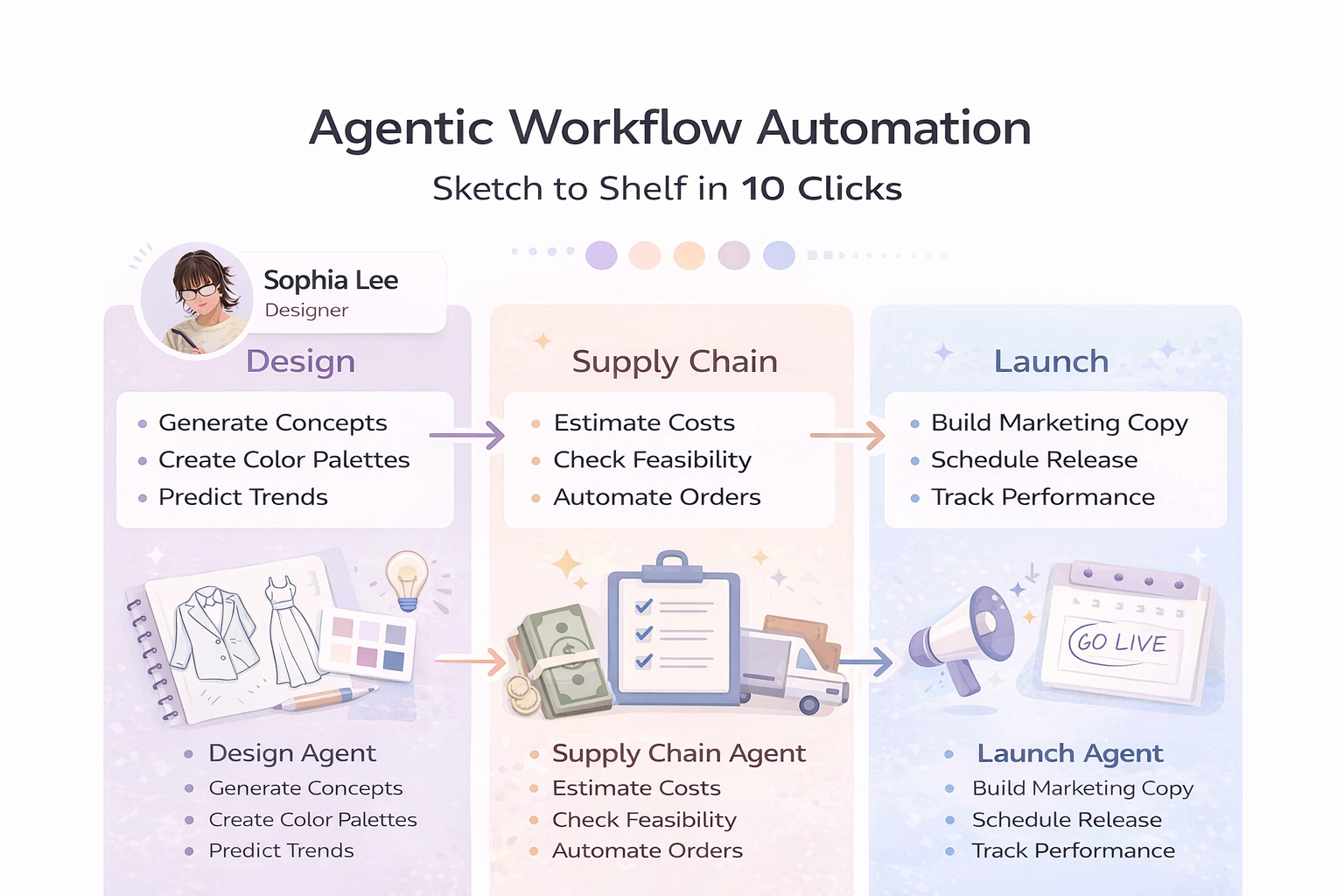
To make “10 clicks” concrete, it helps to define each decisive action where a human confirms or redirects agent output. A typical 10 click product launch workflow might include the following approvals. Each one is a deliberate, high‑leverage decision, not a minor admin task.
Click 1 – Submit concept
The creator uploads a sketch, brief, or CAD file into an intake UI. Behind the scenes, an intake agent validates the input, tags it, and triggers downstream agents. This can be as simple as a form in your product portal that hands data to your agentic workflow automation layer.
Click 2 – Approve generated concept pack
A concept agent aggregates early outputs: refined sketches, initial problem statement, ICP definition, and rough value prop. The human decides: is this worth pursuing? Tools in AI Product Development can auto‑generate this pack from the initial sketch or prompt.
Click 3 – Approve design pack
A design agent produces high‑fidelity visuals or UI flows plus variants (colors, layouts, bundles). When you click “approve,” parallel agents kick off: a supply‑chain agent estimating cost and lead times, and a content agent drafting product descriptions and usage guidance.
Click 4 – Confirm technical spec
An engineering or implementation agent consolidates technical requirements (APIs, materials, performance targets, acceptance tests). Your click confirms that the product is buildable within constraints. This is where you combine engineering review with automated consistency checks from your agentic workflow automation stack.
Click 5 – Select or confirm target segment
A GTM agent evaluates ICP options based on historical performance, competitive data, and qualitative notes. You might choose “freelancers in North America” vs. “SMBs in retail.” The selection drives messaging tone, channel mix, and pricing strategy across agents.
Click 6 – Approve pricing and positioning
A pricing agent proposes price points, discount rules, and bundles using reference data. Research from BCG indicates that AI‑augmented pricing can increase margin by 3–5 percentage points in some categories (BCG, 2022). Your approval click locks the monetization model that downstream agents will use in copy, storefronts, and sales enablement.
Click 7 – Select channels
The GTM agent suggests a channel mix—email, paid social, marketplaces, app stores—based on previous campaign performance. You approve or adjust. Once confirmed, a channel execution agent configures campaigns, creatives, and landing pages specific to each surface.
Click 8 – Approve marketing copy bundle
A content agent generates product page copy, ad variants, onboarding emails, in‑app announcements, and FAQ entries. Your single click approves or requests revisions. Internally, the agent may use tools like AI-Powered Workflow Tools to ensure tone, length, and compliance with brand guidelines.
Click 9 – Confirm compliance and legal checklist
A compliance agent runs the product and all assets through policy checks (privacy, accessibility, regulatory), flags risks, and proposes mitigations. Your click confirms that all critical items are resolved. For higher‑risk changes (pricing, claims, data usage), this step can route to a human legal reviewer by default.
Click 10 – Schedule launch and monitoring
A launch agent proposes go‑live date/time, rollout strategy (big bang vs. phased), and initial monitoring dashboards. With one click, you confirm. The agent then schedules releases, publishes content, and configures dashboards in your analytics tools. Post‑launch, monitoring agents watch key metrics and trigger follow‑up workflows for new variants or experiments.
Modern agentic workflow automation goes beyond simple “if this then that” rules. Agents can reason over context, negotiate trade‑offs, and choose tools dynamically. In a sketch to shelf workflow, this means agents can infer missing requirements, propose alternative suppliers, or adapt launch plans based on live market signals. Forbes notes that organizations combining generative design with orchestration agents have reduced overall development cycle time by 20–30% while improving feature adoption rates (Forbes Tech Council, 2024).
Consider a collaboration between three agents in an apparel brand:
Design agent
Generates new hoodie designs from a hand‑drawn sketch and brand constraints. It proposes colorways and materials, tagging each option with estimated cost and environmental impact data.
Supply chain agent
Pulls live data on fabric suppliers, production capacity, lead times, and shipping costs. When the design agent proposes a premium organic cotton variant, the supply chain agent checks whether suppliers can meet demand before the fall season and suggests trade‑offs if not.
Marketing agent
Consumes both design and supply‑chain outputs to craft positioning: “limited‑run, sustainable fall hoodie,” along with pricing recommendations and scarcity messaging aligned to the available inventory and margin targets.
The orchestration layer coordinates these agents around a shared goal (launch this hoodie profitably by September) instead of rigid, linear steps. If the supply chain agent signals risk on a particular colorway, the design agent can automatically downgrade or remove it, and the marketing agent adjusts copy and ad spend accordingly. This is the core of an end-to-end agentic process: goal‑driven, context‑aware, and multi‑agent by default.
For real‑world applicability, integration and security cannot be afterthoughts. An end‑to‑end agentic process needs secure access to design repos, PLM/ERP, e‑commerce platforms, and analytics. You’ll typically connect agents through APIs or event buses, with granular scopes and audit logs so you can trace why an agent acted a certain way. Guidance from sources like Gartner on AI workflow automation emphasizes clear responsibility models, monitoring, and exception handling across the entire stack.
Practical integration patterns
• Event-driven backbone: Use a message bus (e.g., Kafka, Pub/Sub) where events like concept.approved or pricing.updated trigger agents. This keeps your 10 click product launch workflow decoupled from specific tools.
• API gateways for external tools: Wrap design, PLM, and e‑commerce tools behind a gateway that enforces rate limits, authentication, and observability before agent access.
• Shared product schema: Maintain a canonical product model (attributes, variants, pricing, compliance flags) that all agents read/write. This avoids misalignment between design, supply chain, and marketing agents.
Security controls checklist for agentic workflow automation
• Per‑agent API keys and OAuth scopes (no shared credentials).
• Role‑based access control mapping agents to specific actions (e.g., “may propose pricing” vs. “may publish prices”).
• Comprehensive audit logging of prompts, tool calls, and key outputs.
• Data‑minimization policies so agents only see fields they strictly need.
• Human review requirements for high‑risk actions (public messaging, discounts above threshold, privacy‑sensitive data pulls).
Governance and RACI for a 10 click product launch workflow
A lightweight RACI (Responsible, Accountable, Consulted, Informed) model helps clarify who owns which clicks and which agents:
• Product lead: Accountable for clicks 1–4 (concept, design, spec).
• Marketing lead: Accountable for clicks 5–8 (segment, pricing/positioning, channels, copy).
• Legal/compliance: Accountable for click 9 (compliance checklist).
• Operations/engineering: Accountable for click 10 (launch scheduling and monitoring configuration).
• AI platform team: Responsible for maintaining agents, observability, and guardrails across all stages.
Your internal documentation and reference architectures can lean on patterns from Agentic Workflow Automation to standardize these controls. The result is a sketch‑to‑shelf stack that is not only fast, but also auditable and trustworthy.
The value of a 10 click product launch workflow becomes obvious when you see it in production. Sectors like DTC e‑commerce, print‑on‑demand, and digital products are already close to “sketch to shelf” automation, with AI agents bridging design, merch catalog updates, and multi‑channel marketing. VentureBeat reports that brands using AI agents to connect design and delivery have reduced manual merchandising work by 50–60% while increasing the number of product experiments they can run per quarter (VentureBeat, 2024).
Case study 1: DTC apparel brand
A mid‑size DTC fashion label wanted to compress its seasonal collection cycle. Historically, it took 10–12 weeks from initial sketches to products going live. By implementing an AI workflow from sketch to shelf powered by design, supply‑chain, and GTM agents, the team:
• Let designers upload rough sketches directly into the workflow, where a design agent generated production‑ready variants within hours.
• Used a supply‑chain agent to automatically match designs with available fabrics and factories, flagging infeasible combinations early.
• Triggered a marketing agent to draft product descriptions, lookbook copy, and paid social variants as soon as designs were approved.
• Relied on a 10 click product launch workflow for approvals instead of dozens of scattered emails and Slack threads.
Within two seasons, the brand cut its concept‑to‑launch cycle from 10 weeks to 5.5 weeks, increased the number of new styles launched per season by 40%, and reported a noticeable drop in catalog errors (mismatched images and descriptions) thanks to shared agentic context.
Case study 2: B2B SaaS feature rollout
A B2B SaaS company offering workflow software wanted to launch incremental features faster without burning out PM and marketing teams. They introduced an end-to-end agentic process for minor feature releases:
• PMs submitted feature briefs into the system (click 1).
• A product agent drafted PRDs, user stories, and acceptance criteria for engineering review (clicks 2–4).
• A research agent summarized related customer feedback and usage analytics for prioritization.
• A GTM agent generated release notes, in‑app announcements, and sales enablement bullets (clicks 7–8).
• A launch agent scheduled phased rollouts and configured experiment flags (click 10).
Within three quarters, the company doubled its number of shipped improvements per quarter, while the average time from “idea accepted” to “feature live” dropped from 28 days to 14 days. Internal surveys showed that PMs spent significantly more time on strategy and customer conversations, and less on repetitive documentation.
These examples illustrate the core pattern: compress manual handoffs into agent‑driven tasks, surface only key decisions to humans, and continuously improve the workflow as data accumulates. Over time, your “10 clicks” may become “8” or even “5” as controls mature and confidence in the agentic workflow automation stack grows.
Q1. Do I need a full platform before I can start with agentic workflows?
No. Many teams start by automating a single stage—such as concept intake or marketing asset generation—and then stitch stages together into an end-to-end agentic process. The key is to define clear events and data contracts so each agent can be swapped or extended later.
Q2. How many agents do I actually need for a 10 click product launch workflow?
In practice, teams start with 4–6 core agent types: intake, design, product/spec, supply‑chain/ops, GTM/content, and compliance. Each type can operate multiple instances (e.g., separate design agents for apparel vs. UI).
Q3. How do I keep humans in control without slowing things down?
Treat human clicks as policy gates, not micro‑approvals. Define which actions are auto‑approved under safe thresholds (e.g., small price adjustments, minor copy changes), and which always require human review. This keeps your AI workflow from sketch to shelf both fast and governable.
Q4. What metrics should I track to know if the workflow is working?
Start with cycle time (concept to launch), number of launches per period, error rates in product data or content, and post‑launch performance (conversion, retention, returns). Over time, add measures of human time saved and experiment throughput.
A complete agentic workflow from sketch to shelf is no longer a futuristic vision; it’s a practical design choice for organizations willing to rethink how work gets done. By combining agentic workflow automation with robust integration, security, and governance, you can move from ad‑hoc, tool‑driven processes to a coherent, goal‑driven system that truly supports a 10 click product launch workflow. The payoff is faster cycle times, fewer errors, greater experimentation capacity, and more time for humans to focus on high‑value creativity and strategy.
Step‑by‑step implementation checklist
1. Map your current journey. Document the steps from idea to launch, including tools, handoffs, and decision points.
2. Identify the 10 most important clicks. Pick where human judgment is essential and treat those as your initial approval gates.
3. Define your data model. Create a canonical product schema that all agents will use (attributes, variants, pricing, compliance flags).
4. Start with 1–2 agents. For example, a design agent and a content agent; integrate them via a simple event bus or orchestrator.
5. Add observability and logs. Capture prompts, actions, and outputs so you can debug and improve the system safely.
6. Introduce security and governance. Set per‑agent permissions, human review rules, and a basic RACI around the 10 clicks.
7. Run a pilot on a single product line or feature. Measure cycle time, error rates, and human time saved vs. baseline.
8. Iterate and extend. Add agents for supply‑chain, pricing, and compliance; automate more steps between the 10 clicks.
9. Codify patterns. Turn your most successful flows into reusable templates so other teams can adopt them quickly.
10. Optimize for GEO. Ensure that your documentation, naming, and structured data make the workflow understandable by both humans and generative engines.
Suggested visual for the full 10 click journey
In your final documentation or blog, consider a horizontal journey map: on the top row, depict the 5 stages (concept, design, validation, launch prep, activation). Beneath each stage, show the relevant agents and the associated click (where applicable). Use colored markers to distinguish human approvals from fully automated agent steps. This simple, single‑page visual becomes an onboarding artifact for anyone joining your agentic workflow automation initiative.
Over time, your goal is simple: every human click should be a meaningful business decision, not an administrative necessity. When that’s true, you’ll know your AI workflow from sketch to shelf is not just automated, but genuinely agentic.
101 People Reading our Newsletter Right Now!
