.png)
English
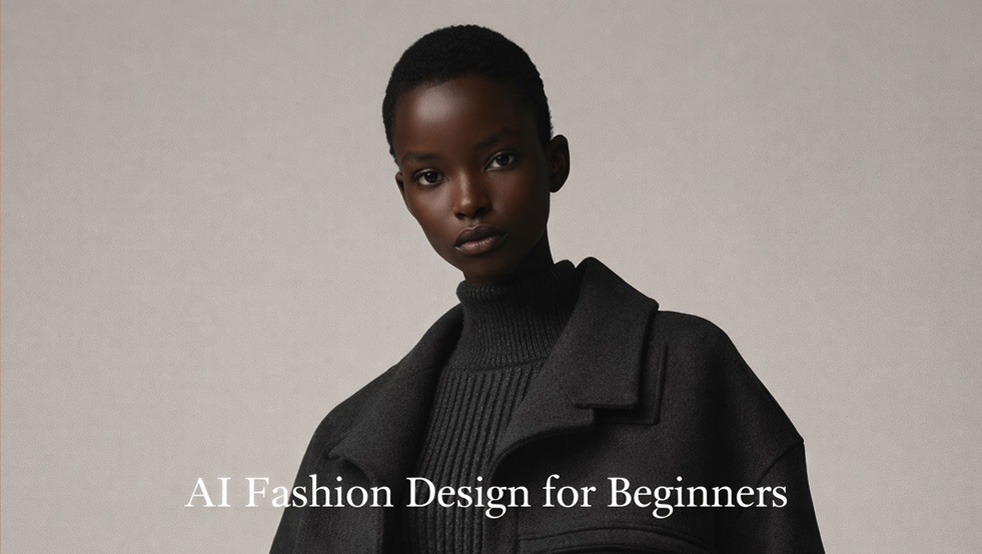
AI fashion design for beginners is making it possible for anyone with an idea and an internet connection to start designing clothes, accessories, and digital outfits. Instead of needing years of technical drawing skills or access to big studios, beginners can now use AI tools to generate sketches, experiment with styles, and build full collections from home. These tools use machine learning to understand aesthetics, trends, and shapes, then turn simple text prompts or reference images into design concepts.
For the fashion industry, this shift is transformative. AI speeds up research, helps forecast trends more accurately, and allows brands to test ideas virtually before producing anything physical. McKinsey reported in 2023 that brands using advanced analytics and AI for assortment planning saw inventory reductions of up to 20% while improving sell-through (McKinsey, 2023), which shows how powerful these tools can be even at early design stages. It’s also opening doors for new types of creators: content creators making digital fashion for social media, indie designers launching micro-collections, and hobbyists exploring fashion as a side project.
While AI can feel intimidating at first, most beginner AI fashion design tools are visual and guided, with low-cost or free tiers. Many image generators offer free monthly credits, and education discounts are increasingly common. With a bit of practice, you can go from prompt to polished mock‑ups, ready to share online, pitch to clients, or develop into real garments. If you want a deeper background on how AI is changing the industry before you dive into design, you can also read an overview like the AI Fashion Design Guide and pair it with a beginner explainer such as How to start AI fashion design.
To help you start AI fashion without getting overwhelmed, this guide breaks the process into simple steps: what AI fashion design is, which tools to try first, a starter workflow, and where to learn more. By the end, you’ll have a clear idea of how to move from your first prompt to a small project you can share in your portfolio.
AI fashion design is the use of artificial intelligence to assist or automate parts of the fashion design workflow. At a high level, it covers three main areas: generative design, trend forecasting, and virtual prototyping. Generative design uses models similar to Midjourney or DALL‑E to turn prompts into new silhouettes, prints, or outfits. Trend forecasting tools analyze social media, search data, and sales to spot patterns, such as rising colors or shapes, before they hit the mainstream. Virtual prototyping platforms simulate garments in 3D, so you can test fit and fabric movement without sewing samples.
For beginners, the most visible part of AI in fashion design is generative image models. In simple terms, these systems have been trained on millions of images so they learn what garments, fabrics, poses, and lighting look like. When you type a description—“cropped puffer jacket with oversized hood, neon trims, editorial lighting”—the model predicts what pixels should appear together to match that description, and turns those predictions into a new image. You don’t have to understand the math; you only need to learn how to describe your ideas clearly and refine the results.
Trend and demand forecasting is less visible but just as important. According to a Boston Consulting Group study, brands using AI-driven demand forecasting improved forecasting accuracy by 10–20% and cut stockouts by up to 50% (BCG, 2021). The same data pipelines that help big retailers decide what to produce can also inspire beginner designers by highlighting emerging colors, cuts, or aesthetics you might want to explore in your own collections.
Virtual prototyping connects your ideas to more technical garment thinking. Platforms like Clo3D or Browzwear simulate fabric behavior—drape, stretch, volume—on digital avatars. Instead of sewing multiple physical samples, you can test a new sleeve shape or skirt flare in 3D, change the fabric, and see how it moves. A 2022 report from CLO Virtual Fashion noted that brands using 3D sampling reduced their physical samples by up to 70% (CLO Virtual Fashion, 2022), which shows why these tools are becoming industry standards.
Beginners typically interact with AI through simple interfaces: text boxes for prompts, drag‑and‑drop uploads for reference images, and visual editors for refining outputs. You might start by typing “minimalist streetwear capsule in soft neutrals” and receive several concepts, then adjust colors, proportions, or details. Behind the scenes, models are trained on large datasets of images and style information, but you don’t need to understand the algorithms to use them. What matters is learning how to phrase prompts, how to critique results, and how to move from AI output to something that looks and feels like your work.
One simple way to think about the workflow is:
Idea → Prompt → AI output → Edit → Export. You start with a concept in your head, translate it into a text prompt, review the AI-generated looks, edit or combine the strongest ones, then export the images or 3D files for your portfolio or production team.
For beginners, AI significantly lowers the barrier to entry. You don’t need to be great at sketching, pattern cutting, or 3D to start expressing your style. AI image generators can quickly translate rough ideas into visuals, and 3D tools can auto‑fit patterns to avatars. This makes the early exploration phase less frustrating and more playful. You can try dozens of directions in an afternoon instead of spending days on a single sketch.
AI also enables rapid prototyping. You can generate variations of a single idea—different colorways, fabrics, or cuts—and compare them side by side. This helps you develop your eye faster and understand what works together. Many platforms offer free or low-cost starter plans, so you can learn without a big upfront investment. For those worried about the tech learning curve, most tools provide templates, presets, beginner modes, and guided tutorials that walk you through your first designs step by step.
Cost is one of the biggest concerns in beginner AI fashion design, but you can start very lean. Most general image generators offer free tiers with limited monthly credits. Student plans or trial periods are common in 3D software like Clo3D. You can begin with a free AI fashion tutorial for beginners on YouTube, test prompts in a browser-based generator, and only upgrade to paid plans once you know which tools fit your workflow.
Another benefit is confidence. Seeing your ideas visualized quickly makes it easier to share them with friends, online communities, or potential collaborators. AI becomes a creative partner that fills skill gaps while you build your own abilities over time. Many designers report that AI helps them “fail faster”—they can see what does not work in minutes instead of after a week of sketching, which speeds up learning. In a 2023 Adobe survey on generative AI, 74% of creatives said AI tools helped them explore more ideas they would not have tried otherwise (Adobe, 2023).
Finally, AI can make fashion feel more inclusive. If you do not have access to fashion schools or industry mentors, AI tools and online communities give you a way to experiment, get feedback, and slowly build a body of work. That makes AI fashion design for beginners not just a technology shift, but a new pathway into a historically closed industry.
Several tools stand out for beginners interested in AI fashion design. Visual generators like Midjourney and DALL‑E are ideal for concept art, moodboards, and print ideas. You write prompts describing silhouette, fabric, color, and vibe, then refine based on the results. These tools are strong for ideation: thumbnails for a capsule collection, quick print repeats, or alternate colorways of a hero piece.
Fashable focuses more directly on fashion imagery, allowing you to generate editorial-style looks and specific garment concepts. It is useful if you want images that already resemble fashion photography, with full outfits, styling, and lighting built in. Revery AI specializes in virtual try‑on, useful if you want to see how designs might look on different body types or create product visuals without full photo shoots. You upload garment photos and choose digital models, then generate realistic on-body images.
For 3D garment creation, Clo3D is one of the most widely used tools in the industry. It lets you build patterns, simulate fabrics, and dress 3D avatars, with AI-assisted features helping with fit and drape. Beginners can start from pre‑made blocks and modify them rather than drafting from scratch. Once you are comfortable, you can add your own pattern work or collaborate with a pattern cutter who uses the same software.

These tools can be combined in a simple pipeline. For instance, you might generate design directions in Midjourney, shortlist four looks, and then rebuild the strongest one in Clo3D for more technical development. From there, you could export images and use Revery AI or another virtual try-on system to show the garment on multiple body types. This kind of modular workflow mirrors how many professionals work and is a great way to start AI fashion with clear steps.
As you explore AI fashion design software, focus on two or three tools instead of trying everything at once. One image generator, one 3D or pattern tool, and one presentation tool (like a mockup or try-on platform) are usually enough for your first three to six months.
A simple starting workflow is: pick one image generator and one 3D or editing tool. First, define a small project, like “three AI-generated tops for a summer capsule.” In your chosen generator (e.g., Midjourney or DALL‑E), write clear prompts including garment type, cut, color palette, and style references. Generate several options, save the strongest images, and note what prompt phrases worked well. Next, move to a tool like Clo3D (or another beginner-friendly 3D platform) and try to recreate one look using templates and basic pattern edits.
Here is a practical checklist to follow:
1. Define your first mini-brief.
Pick a focused outcome, such as “three AI-generated festival outfits” or “a four-look minimalist workwear capsule.” Write it down with target audience, season, and color palette.
2. Choose your tools.
Select one image generator (Midjourney, DALL‑E, or similar) and one 3D or editing tool (Clo3D, Marvelous Designer, or a simpler mockup editor). Don’t worry about perfection; just choose tools you can access easily.
3. Write and test prompts.
Start with prompts that include garment type, silhouette, color, fabric, and style reference. For example: “AI fashion design for beginners, oversized hoodie dress, soft terry fabric, monochrome sand color, streetwear editorial photography.” Generate 8–12 images, then mark your top 3–4.
4. Build a simple moodboard.
Drop your favorite AI-generated images into a single page or slide deck. Add 2–3 real-world reference photos (runways, street style, vintage) so your concepts stay grounded in reality.
5. Rebuild one look in 3D or as a flat.
In Clo3D or your chosen tool, start from a basic block or template and adjust lengths, shapes, and details to match your AI concept. Focus on learning how each edit changes the silhouette rather than on perfect realism.
6. Export for sharing.
Export still images or a simple turntable video. Add them to a slide deck, Notion page, or simple PDF so you have a project you can show others.
7. Get feedback and iterate.
Share your project in an online community (Discord, Reddit, or a specialist group like Fashion Diffusion AI). Ask specific questions such as “Which silhouette feels strongest?” or “Where could I push the color story?” Use the feedback to adjust your prompts and patterns.
To make this even easier, imagine a downloadable “First AI Fashion Project” worksheet that walks you through the steps above: space to write your brief, boxes for prompt experiments, and a checklist for exports. You could also pair it with a 5–10 minute video walkthrough where someone completes a mini-project live so you can follow along in real time.
To build skills, combine structured courses with informal tutorials and communities. Platforms like Coursera, FutureLearn, and Udemy now host courses on fashion technology, AI basics, and digital garment design. For example, you might look for courses such as “AI for Everyone” (Coursera, by Andrew Ng) to understand core AI concepts, or a digital fashion course that introduces Clo3D or similar tools.
YouTube is useful for quick, tool-specific tutorials—search for phrases like “Clo3D beginner,” “Midjourney fashion prompts,” or “AI print design walkthrough.” Many creators share full-length project videos that you can pause and copy step by step. Watching two or three different people solve the same problem (for example, building a pleated skirt in Clo3D) gives you multiple approaches to try.
Community spaces can dramatically speed up your progress. Niche communities, such as Fashion Diffusion AI groups and AI-focused Discord servers, share prompt recipes, model settings, and critique threads. The Fashion Diffusion Blog regularly publishes breakdowns of AI-assisted fashion projects and prompt ideas, which can give you concrete starting points when you feel stuck.
You can also follow fashion tech blogs, newsletters, and LinkedIn creators who post detailed case studies of AI in fashion design. Many tools maintain their own documentation hubs, starter projects, and sample files. Set aside time to work through at least one official tutorial for every tool you adopt; this will save you hours of guessing later.
Over time, aim to mix three kinds of learning: a short theory course on AI concepts, hands-on tool tutorials, and active community participation where you share work-in-progress. A simple way to stay organized is to maintain a “learning doc” where you paste useful links, list what you practiced each week, and note questions to ask more experienced designers.
As you start using AI, ethical questions quickly appear. One major concern is copyright and originality: many AI models are trained on large image datasets that may include existing designers’ work. This raises questions about how close your AI outputs are to someone else’s designs and what you are allowed to commercialize. Beginners should avoid copying distinctive brand elements, logos, or instantly recognizable silhouettes, and treat AI results as starting points to significantly adapt.
There are also issues around representation and inclusivity. Some models default to limited body types, skin tones, or cultural references. You can counter this by intentionally prompting for diversity—different sizes, ages, and backgrounds—and checking your outputs for bias. If your AI fashion tutorial for beginners only shows one type of body or one cultural reference, it’s a sign you need to adjust prompts or training data.
Finally, think about transparency: if you present AI-assisted work to clients, tutors, or audiences, be clear about your process. Framing AI as part of your toolkit helps maintain trust and opens honest conversation about how these tools are used. Many competitions and schools now have rules about how AI can be used; read guidelines carefully and, when in doubt, ask for clarification.
Can I sell clothes based on AI-generated images?
In many regions, you can create original patterns and garments inspired by AI images you generate yourself, especially if you significantly modify and develop the design. However, laws are evolving, and different tools have different terms of use, so always read the license for each platform.
Do I own the copyright to AI-generated images?
In some jurisdictions, AI-generated images without substantial human authorship may not be fully copyright-protected, or the platform may retain certain rights. Check your tool’s documentation and, when possible, add clear human creative input—such as redrawing, editing, or rebuilding the design in 3D—to strengthen your claim.
What is the safest approach for beginners?
Use AI outputs as concept starters, then develop your own shapes, details, and constructions. Avoid using logos, brand names, or signature elements owned by others. When publishing, briefly note that AI was used in the ideation stage and highlight your own design decisions.
Around the world, both large brands and independent creators are already integrating AI into their workflows. Some use AI to generate early concept boards for seasonal collections before refining designs by hand or in 3D. Others rely on virtual try‑on systems to create product photos without full-scale shoots, or use AI forecasting tools to plan color and style assortments. Individual designers and digital artists are building entirely virtual collections to display in online galleries or social platforms.
For beginners, these examples are useful as inspiration rather than templates. Studying how professionals mix AI with traditional methods can help you decide where to plug AI into your own process. Look for case studies that show full pipelines—from first prompt to final garment—and pay attention to how much human editing and decision‑making is involved at each step.
Example 1: Virtual capsules for e‑commerce.
Some emerging brands now generate initial outfit grids with AI, refine the strongest looks in 3D, and then use virtual try-on tools to show garments on multiple models before any physical shoot takes place. This approach reduces time-to-market and gives marketing teams assets to test on social media early.
Example 2: Digital-only fashion creators.
Independent digital fashion designers create collections designed purely for AR filters or virtual photoshoots. They might start with AI-generated silhouettes, sculpt or simulate garments in 3D, and then sell them as “wearables” for creators and influencers. Many of these designers share breakdowns of their workflows, which can be extremely helpful when you learn AI fashion design software.
Example 3: Hybrid student projects.
Fashion students are increasingly allowed—or even encouraged—to use AI in early ideation. A typical project might involve building a concept board in Midjourney, translating it into Clo3D patterns, then producing one or two physical key looks. Following these case studies shows you how to present AI-assisted work in a way that still highlights your own decisions.
As you research, save screenshots of before-and-after moments: initial AI generations versus your refined 3D or physical outcomes. Over time, this becomes a visual gallery that documents your growth and makes your portfolio more engaging to reviewers.
Looking ahead, AI is set to deepen its role in fashion through sustainability, personalization, and digital-only experiences. On the sustainability side, smarter forecasting and virtual sampling can reduce overproduction and waste. Personalization will likely expand from simple recommendations to semi-custom pieces generated for each shopper based on body data and style preferences. Digital fashion—clothes that exist only in virtual spaces, games, or AR filters—will continue to grow as more people express identity online.
For beginners, these trends mean more opportunities to carve out niches: designing digital-only looks, specializing in AI‑assisted sustainable capsules, or building personalized style services. Learning AI tools now positions you to adapt as new platforms and roles emerge. A simple way to think about it is as a loose timeline:
Today (0–1 years): Learn image generators and at least one 3D or mockup tool. Build small projects that mix AI outputs with your own edits.
Near future (1–3 years): Expect more fashion-specific AI platforms, better body diversity in virtual try-on, and tighter integration between design, merchandising, and marketing tools.
Longer term (3–10 years): We will likely see AI deeply woven into the full lifecycle: circular design, automated fit adjustments, virtual wardrobes, and new roles that sit between data science and design.
A simple trend timeline graphic could show “Today → 3 years → 10 years” with a few bullet points under each. Keeping this long view in mind can help you choose skills that will stay useful as tools evolve.
AI fashion design gives beginners a practical way to jump into the industry without waiting for perfect drawing skills, formal training, or large budgets. By combining generative tools, virtual prototyping, and online learning, you can quickly explore your style, build small projects, and share your work with a global audience. The key is to start small, treat AI as a creative assistant, and keep refining your own taste and decision‑making.
As you progress, pay attention to ethical questions, copyright issues, and inclusivity, and be transparent about how you use AI. With consistent practice, a few well-chosen tools, and support from learning communities, you can turn AI-generated ideas into thoughtful, original fashion concepts. Now is a good time to experiment, document your process, and build a portfolio that shows how you collaborate with AI rather than letting it design for you.
To keep going after this guide, you might assemble a simple starter toolkit for yourself: a prompt cheatsheet, a list of your favorite tutorials, and a first-project template you can reuse. Combine that with resources like How to start AI fashion design and community spaces around AI fashion design for beginners, and you’ll have everything you need to turn curiosity into consistent creative practice.
Related reads: Unlocking Creativity: What is Agentic AI Fashion? Definitions & Examples
AI Fashion Design Tools 2025 for Designers Everywhere - The F* Word
How to Design Virtual Clothing: Complete Guide
© 2026 The FWord.ai. All rights reserved.
101 People Reading our Newsletter Right Now!
