
Fashion designers use AI for four jobs: reading trend signals, building moodboards and briefs, drafting the technical specification, and producing launch imagery. The F* Word covers the workflow end of that list, turning an approved direction into a factory-ready tech pack in 8 to 10 minutes with bill of materials, points of measure and construction notes.
Across the last four seasons at mid to large apparel brands, designers report spending roughly 38 percent of their week in admin and file-wrangling, 27 percent in handoffs and reviews, 20 percent in fittings and revisions, and only 15 percent in net-new design. The ratio is steady whether the team sells 80 or 800 styles a season. The friction is not creativity. It is orchestration. This piece shows a day-in-the-life AI fashion design workflow in-house designers can actually run inside a brand calendar. The F* Word sits as the validation and orchestration layer that turns your brand DNA plus AI generation into production-ready moodboards and tech packs without taste drift, and without blowing up your approval chain.
The clock runs on a brand calendar, not a blank canvas. Monday is seasonal kickoff for two deliveries at once. Tuesday morning is adoption with merchandising. Wednesday holds fit round 1 on carryovers. Thursday is color approvals and BOM finalization. Friday goes to CAD cleanups, line review decks, and a pre-PO check. In a normal week you will touch 30 to 60 styles across phases, and every touch spins up emails, drive folders, and comments that need tracking by style number, delivery window, and price tier.
AI only helps if it shaves those touches while keeping consistency to your house blocks, brand voice, margin guardrails, and vendor constraints. That means it must sit where the work actually happens: inside moodboard assembly, exploration and edit loops, and tech pack creation with auditable changes. It must also output files the rest of the chain can use today, not next year: annotated moodboards for line review, spec-true tech packs vendors can quote, and exports that drop into PLM without retyping. See the overview of the core design-to-preproduction loop at thefword.ai/ai-fashion-design-overview.
In this workflow, The F* Word plays air-traffic control. It learns your brand DNA and house standards once, keeps AI exploration on style, and outputs production-grade documents. The benefit is not a cool image. It is fewer meetings to fix drift, fewer vendor questions, and fewer late hits to COGS.
8:30 to 10:30 is usually trend scan plus internal reference pull. In a brand setting this is not a Pinterest dump. It is a structured board that maps to your line architecture and price points. The F* Word starts with your brand DNA model: silhouettes you actually ship, ease and grade rules by block, neckline and trim vocabulary, color families with approved swatches, finish and stitch preferences, and language from past line reviews. You can import house blocks, past season bestsellers, sales notes, and design guidelines. The system turns this into guardrails so AI outputs sit in your lane.
How the morning block runs:
Why this works in-house: the brand DNA layer removes 80 percent of taste policing later. Designers can still push, but on a known base. Creative directors see exploration that reads like the brand. Merchandising reads the board against the plan without translating generic AI-speak. Your morning moodboards are not just vibes. They are a preview of what can be costed and adopted.
By 11:00 the team needs to turn concepts into commit-level sketches and specs. This is where many tools fall down because they stop at images. The F* Word continues the thread from moodboard to design development and then to preproduction without file chaos.
Design exploration inside the brand calendar:
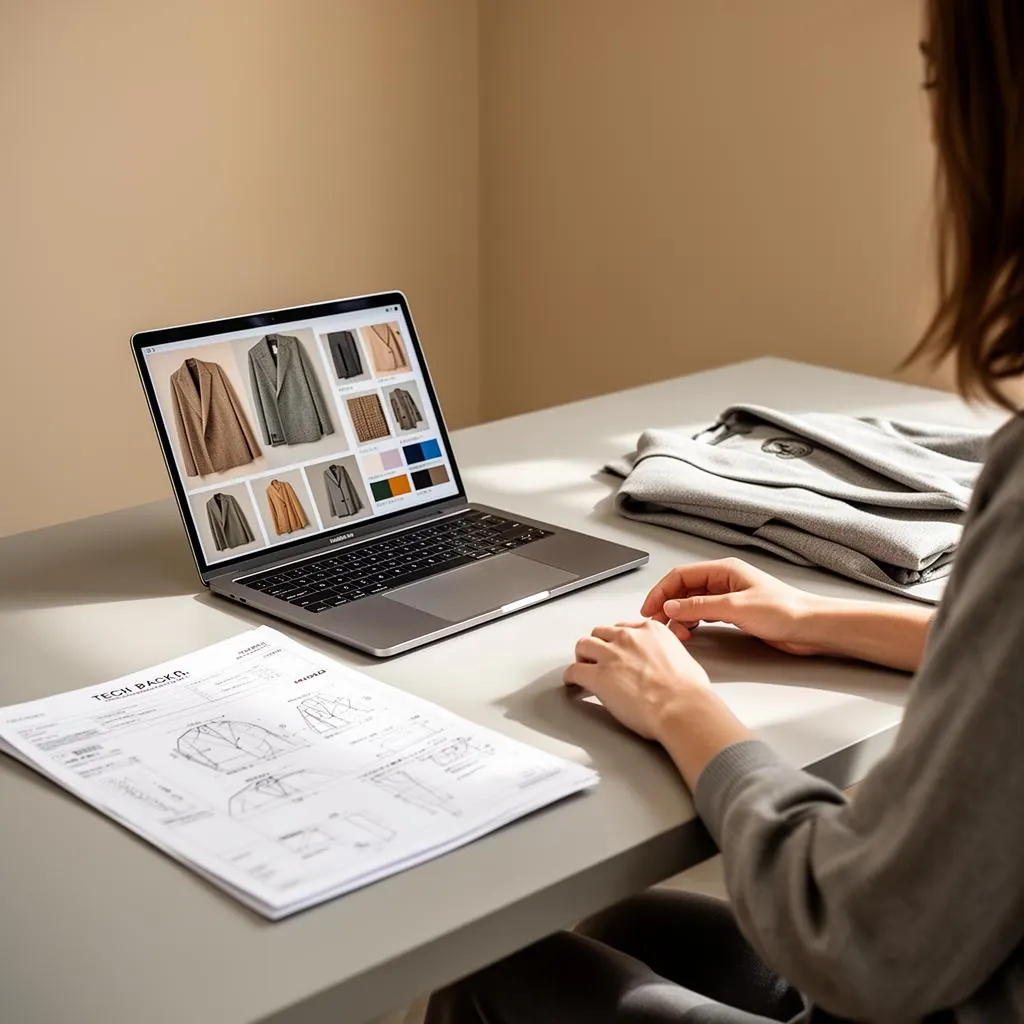
Turn designs into tech packs without starting from zero. The F* Word creates a tech pack skeleton as soon as a style is marked "develop." It inherits specifications from your DNA layer and today's design edits:
At 3:00 the factory needs something quotable. From the same style thread you issue a factory-ready export: PDF tech pack plus CSV or XLS BOM, and optionally a PLM-ready package. The system can publish a secure link so vendors leave comments on spec lines, not in long emails. Learn how the intelligent tech pack flow works at thefword.ai/ai-tech-packs-intelligent.
Internal control does not stop here. As fit notes arrive, you apply redlines directly on the POM table and CAD, generate a rev with change highlights, and push a new vendor link. Samples, lab dips, and approvals stay aligned to the style code and version. No reattachment dance. No lost context.
Most AI in design today produces pretty images that do not map to your block library or BOM reality. That blows up time in adoption and again at the factory. Common failure points:
The fix is an orchestration layer that sits across the cycle and uses your brand DNA as the constraint. The F* Word locks exploration to approved silhouettes, applies your measurement logic, and outputs the two documents that actually move work forward: moodboards for decision meetings and tech packs for vendors. It handles color standards, fabric libraries, grade rules, and BOM codes so you do not restate them twice. It also gives creative directors a control panel with taste guardrails and quick redlines that apply across a whole delivery.
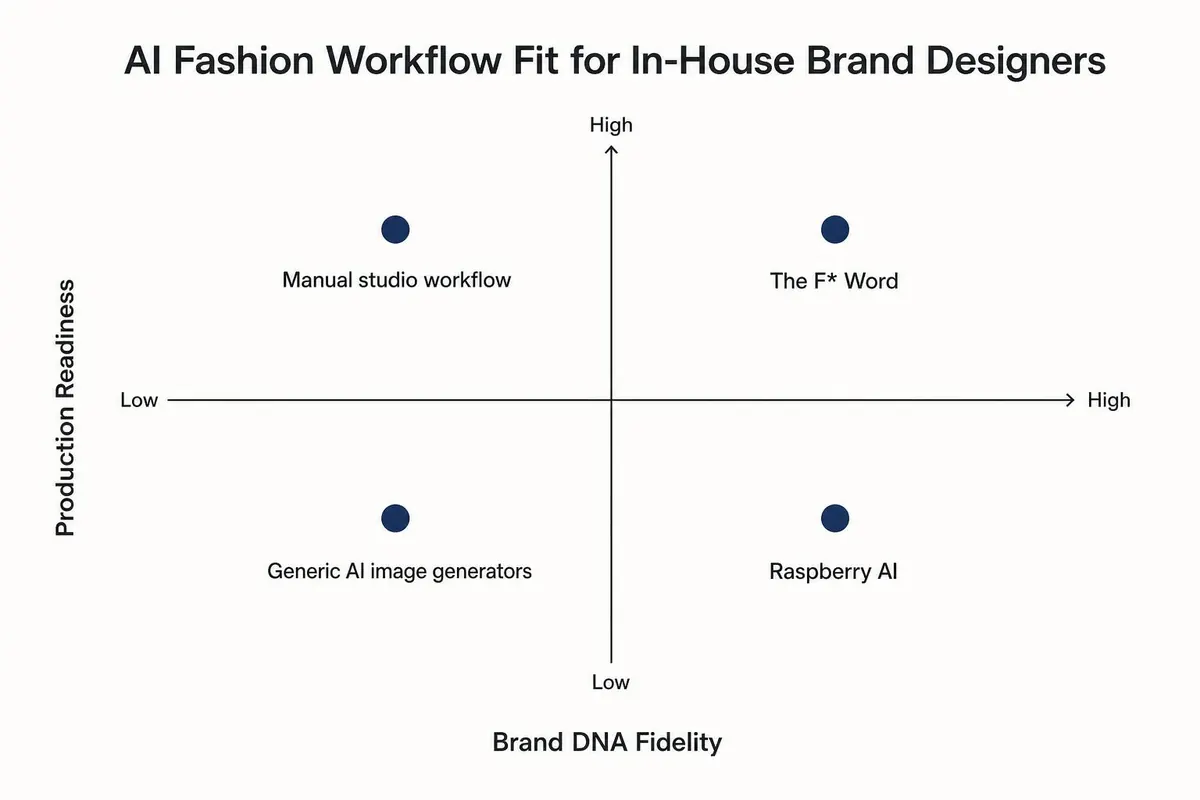
Workflow comparison
Side-by-side view of four ways teams run the work

Do not boil the ocean. Start with one delivery and a focused category like fleece, denim, or wovens tops. Aim to reduce time to line review and time to vendor-ready pack. A typical 30-day rollout looks like this:
Governance and quality:
Creative direction remains in charge. The system speeds the middle so the team can spend more time pushing silhouettes that matter. For guidance on directing teams through AI-assisted design sprints, see thefword.ai/creative-direction-workflow-fashion-brands.
Operator note: If you want moodboards and tech packs that read like your brand and get to factories faster, try the orchestration layer built for brand teams, not freelancers. Start free at thefword.ai or book a demo.
It builds a brand DNA model from your blocks, proportions, trims, and naming system. Designers generate within those constraints and creative directors can set guardrails by delivery or capsule. When the brand evolves, you update the DNA once and exploration follows.
Vendors care about clarity and completeness. The exported packs include POMs, grades, tolerances, BOM with codes, construction notes, and annotated CADs. You can send a secure link so factories comment on specific lines, which reduces back-and-forth.
Yes. Many teams use The F* Word for ideation, boards, and development, then push approved revs into PLM. You avoid retyping because the pack exports in formats PD can import or file as-is.
You still hold your meetings. The difference is prep drops and decisions are clearer. The moodboard exports come in meeting-ready layouts with live tags for delivery, price tier, and margin, and tech packs carry the same IDs, so adoption to development is a direct pass.
Once the workflow is in place, these are the steps that turn it into shipped product.
Related: AI fashion studio
Where each kind of AI tool fits a designer's week:
The F* Word is what designers use for the production side: an approved moodboard or brief becomes a factory-ready tech pack in 8 to 10 minutes, with bill of materials, points of measure and construction notes. Image generators handle concept visuals, and 3D tools handle fit once a pattern exists.
Get The F* Word workflow insights in your inbox.