
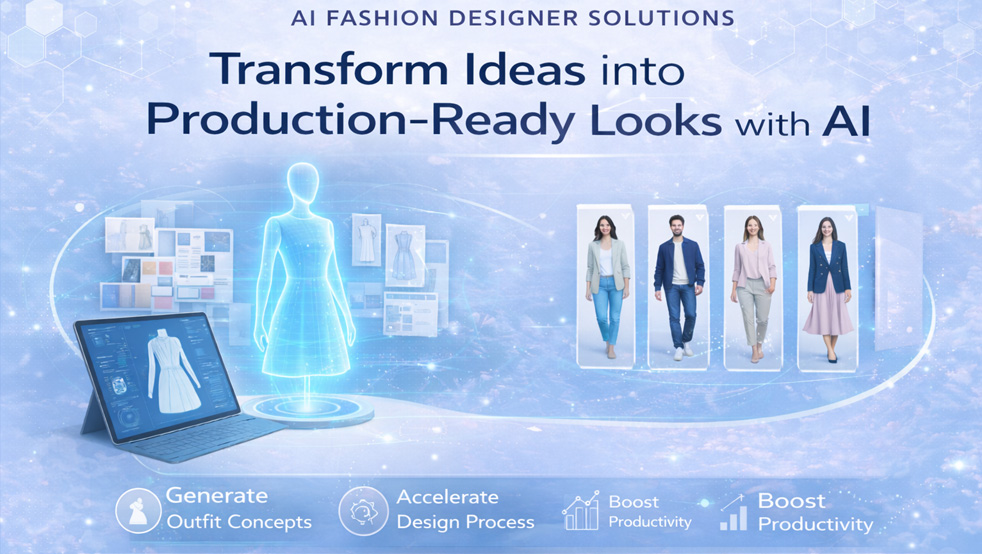
The traditional fashion design cycle, from initial concept to a product hitting the shelf, can take a staggering 12 to 18 months, a timeline completely out of sync with today's hyper-fast trend cycles and consumer expectations. This glacial pace, dictated by painstaking manual processes, endless physical sampling, and logistical bottlenecks, represents the single greatest point of friction for modern brands and indie designers. It’s a system that bleeds cash, stifles creativity, and guarantees you’re already late to the party. The solution isn't to work harder or hire more people; it's to fundamentally rewire the entire workflow with an integrated AI fashion designer platform that collapses this timeline and turns raw ideas into market-ready collections at the speed of thought.
For decades, the fashion design process has remained stubbornly analog, a labyrinth of disconnected steps that actively works against speed and innovation. It's a workflow many designers accept as standard, but one that is becoming untenable in a digital-first world. The journey begins with mood boarding, a manual collage of magazine clippings, fabric swatches, and found images. This is followed by countless hours of hand-sketching or basic digital drawing, generating dozens of ideas, most of which will never see the light of day.
Once a direction is chosen, the real friction begins. Designers must communicate these 2D concepts to pattern makers, a process fraught with potential for misinterpretation. The pattern maker then drafts a 2D pattern, which is used to create the first physical sample. This initial sample is often a rough approximation, requiring multiple rounds of adjustments. Each iteration involves sewing a new garment, shipping it back and forth between the studio and the factory, and conducting live fit sessions. A single garment might go through three, five, or even ten rounds of sampling before the fit and construction are approved. This phase alone can take months and costs thousands of dollars in materials, labor, and shipping for just one style.
Then comes material sourcing, another time-intensive black hole. Designers and sourcing agents spend weeks or months requesting swatches from mills, waiting for them to arrive, and then trying to imagine how a tiny 4x4 inch square of fabric will drape and feel as a finished garment. All the while, the initial creative spark is fading, buried under an avalanche of administrative tasks and logistical delays. The culmination of this process is the creation of a technical package, or "tech pack", a dense, manually created document that can take an entire day per style to assemble, detailing every single stitch, measurement, and component. The room for human error is immense, and a single typo can lead to a disastrous production run. This is not a system built for agility; it is a relic of a bygone era.
An AI fashion designer solution dismantles this archaic labyrinth and replaces it with a streamlined, interconnected digital superhighway. Instead of a linear sequence of isolated tasks, it creates an integrated ecosystem where ideation, prototyping, and production prep happen in parallel, feeding into one another in a virtuous cycle. The core principle is simple: digitize every possible step to eliminate physical waste, reduce manual effort, and empower designers to focus on what they do best, design.
The AI workflow starts with supercharged ideation. Designers can use text prompts, image references, or even existing sketches to generate hundreds of high-fidelity design variations in minutes, not weeks. Want to see that trench coat in a bouclé fabric with cargo pockets and a cinched waist? The AI can render it instantly. This allows for an unprecedented level of creative exploration, testing out "wildcard" ideas that would have been too costly or time-consuming to sample physically.
From there, the strongest designs are moved directly into 3D virtual prototyping. The 2D sketch is translated into a 3D model that can be "dressed" on an adjustable digital avatar. Here, designers can test fit, drape, and movement in a hyper-realistic environment. Digital fabric libraries allow for instant swapping of materials, from silk charmeuse to heavy denim, with physics-based simulations showing exactly how each will behave. This single step can eliminate up to 80% of physical sampling, saving a massive amount of time, money, and material waste.
Best of all, this digital asset becomes the single source of truth for the rest of the production pipeline. The validated 3D model can be used to automatically generate 2D sewing patterns optimized for minimal fabric waste. Crucially, the AI can also auto-populate a comprehensive tech pack, pulling all measurements, construction details, and Bills of Materials (BOM) directly from the digital prototype. The process is not just faster; it's smarter, more sustainable, and infinitely more creative.
Creative director? Go from trend signal to moodboard and tech pack.
The F* Word turns a real-time trend into a brand-aligned moodboard and the factory-readable tech pack that ships it. One workflow, free to try.
Comparison: Traditional Fashion Design Workflow vs. AI-Powered Workflow

Adopting an AI-powered workflow isn't just about using a new tool; it's about embracing a new methodology. Let's break down the key stages and how they transform the creative and commercial process.
1. Generative Ideation: The Infinite Mood Board
The process begins not with a blank page, but with a conversation. The designer engages with the AI, using descriptive text prompts to bring ideas to life. For example: "A women's oversized blazer in a pistachio green wool, double-breasted, with exaggerated lapels and tortoiseshell buttons, 80s-inspired silhouette." The AI returns photorealistic images in seconds. From there, the designer can iterate rapidly. "Show me the same blazer as a cropped jacket." "Make the fabric a pinstripe silk." "Add patch pockets." This isn't replacing creativity; it's amplifying it. It allows a designer to exhaust every possibility and discover unexpected directions without the friction of manual sketching. You can even upload your own sketches or reference images to guide the AI, ensuring the output aligns with your brand's unique DNA.
2. Virtual Prototyping: See It Before You Sew It
Once a handful of strong concepts are selected, they are transformed into 3D models. Platforms like thefword.ai use advanced algorithms to convert the 2D AI generations into workable 3D patterns that can be draped onto a customizable avatar. This is where the magic truly happens. You can adjust the avatar's measurements to match your brand's specific grade rules or even a particular celebrity or influencer you are designing for. You can see precisely how a garment hangs, pulls, and moves. Tension maps reveal areas of poor fit with a color-coded overlay, allowing you to make pattern adjustments in real-time. This virtual fitting room eliminates the guesswork and cost associated with early-stage physical samples.
3. Digital Materialization and Pattern Optimization
With a validated 3D prototype, the focus shifts to production readiness. The AI system's digital fabric library is a shift. These aren't just textures; they are "digital twins" of real-world materials, complete with data on weight, stretch, and stiffness. This ensures that the simulated drape is remarkably close to reality. Once the design and fabric are finalized, the AI can flatten the 3D model back into a 2D sewing pattern. More importantly, it can run nesting algorithms to optimize the layout of these pattern pieces on a bolt of fabric, significantly reducing material waste, a critical factor for both cost and sustainability.
4. The One-Click Tech Pack
The final, and perhaps most revolutionary, step is the automation of the technical package. Traditionally a tedious, manual task, the AI can now generate a comprehensive tech pack in seconds. Because the 3D model is the single source of truth, all the necessary data is already there. The AI extracts point-to-point measurements, generates technical flats from multiple angles, creates a detailed Bill of Materials (BOM) listing every component from fabric to thread, and adds initial construction notes. This saves dozens of hours per collection and drastically reduces the risk of costly manufacturing errors stemming from data entry mistakes. To learn more about this specific, high-impact application, you can explore our deep dive on the best AI tech pack creators.
The question is no longer *if* AI will be integrated into fashion design, but *how* and *when* your brand will adopt it to stay competitive. The benefits are universal, but they manifest differently depending on your business model.
For the Indie Designer or Startup:
The barrier to entry in fashion has always been capital, specifically the funds required for sample development. An AI solution democratizes the industry. It allows a solo designer to ideate, prototype, and 'finalize' an entire collection with near-zero upfront cost. You can generate a professional-grade, photorealistic lookbook and tech packs to present to factories or use for pre-sale campaigns, securing orders *before* committing to a production run. It levels the playing field, giving you the operational capabilities of a much larger brand. If you're just starting, our guide on AI fashion design for beginners is an essential resource.
For the Established Mid-Size Brand:
Your challenge is scale and speed. An AI solution allows your design team to become exponentially more productive. Instead of spending 70% of their time on administrative tasks and sample logistics, they can reinvest that time into pure creativity. You can prototype 3x more styles, allowing you to take more creative risks and test more trends. The drastically reduced time-to-market means you can react to emerging trends identified on social media and have a product ready for market in weeks, not seasons. This agility is a powerful competitive advantage against slower, more traditional competitors.
For the Large Enterprise or D2C Retailer:
Your focus is on data, optimization, and market alignment. AI integrates smoothly into this vision. AI-generated designs can be A/B tested with target audiences on social media or email lists before a single yard of fabric is ordered. This data-driven approach de-risks inventory investment and ensures you're only producing what your customer has already validated. the efficiency gains across the design and development pipeline add up to millions in savings when applied at an enterprise scale, directly impacting your bottom line while also boosting your sustainability credentials.
The era of slow, wasteful, and disconnected design is over. The tools to build faster, smarter, and more sustainably are here. By embracing an end-to-end AI fashion design solution, you’re not just adopting new software; you’re future-proofing your brand and unlocking a new stratosphere of creative and commercial potential. Start free at thefword.ai.
Absolutely not. AI is a co-pilot, not a replacement for the pilot. It acts as an incredibly powerful tool that automates tedious and repetitive tasks, freeing up human designers to focus on higher-level creative strategy, concept development, and brand vision. The designer's taste, curation, and storytelling ability become more important than ever. AI generates options; the designer makes the decisions.
The accuracy of 3D virtual prototyping is advancing at a blistering pace. While it may not yet completely replace the need for a final physical fit sample on a human model, it can reliably eliminate 80-90% of the initial sampling rounds. It's incredibly effective for checking overall silhouette, design lines, proportions, and fabric drape, catching major errors long before a physical garment is ever made.
The most important skill is a mindset shift: a willingness to embrace new workflows. Technically, the learning curve is surprisingly gentle. Key skills include basic prompt engineering (learning how to "talk" to the AI to get the desired visual results) and a solid foundation in fashion design principles. Most modern AI platforms are designed with user-friendly interfaces, making them far more accessible than traditional complex CAD or 3D modeling software.
AI offers a profound impact on sustainability on multiple fronts. Firstly, by drastically reducing the number of physical samples, it cuts down on material waste, water usage, and carbon emissions from shipping. Secondly, AI-powered pattern optimization algorithms ensure that garment patterns are laid out to maximize fabric usage, minimizing off-cut waste. Finally, by enabling a "test-then-produce" model, it helps brands avoid overproduction, the single biggest contributor to fashion's environmental footprint.
The F* Word Editorial · Fashion workflow team
Written by The F* Word editorial team. We build AI fashion workflow software grounded in thousands of industry-produced tech packs and proprietary garment records, so what reaches the factory is consistent, reviewed, and tied to design intent.
Once the workflow is in place, these are the steps that turn it into shipped product.
Get The F* Word workflow insights in your inbox.