

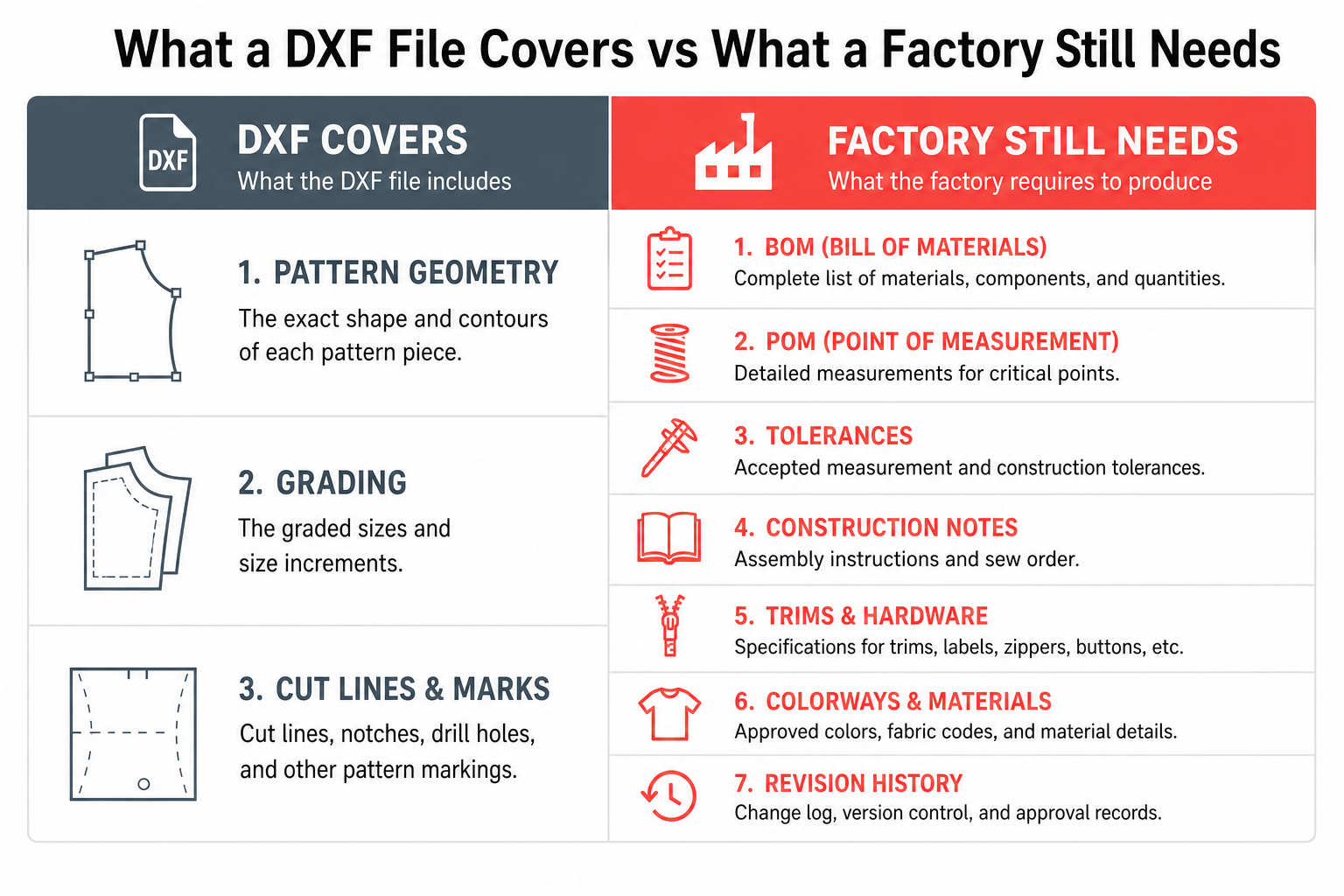
A DXF file is useful for pattern transfer and CAD workflows, but it is not a complete factory handoff. Production still needs a reviewed tech pack with BOM, POM, grading, tolerances, construction notes, trims, labels, packaging, colorways, approvals, and revision history. The F* Word autonomously generates both moodboards and factory-ready tech packs, so the pattern file becomes one input inside a reviewed production packet rather than the entire handoff.
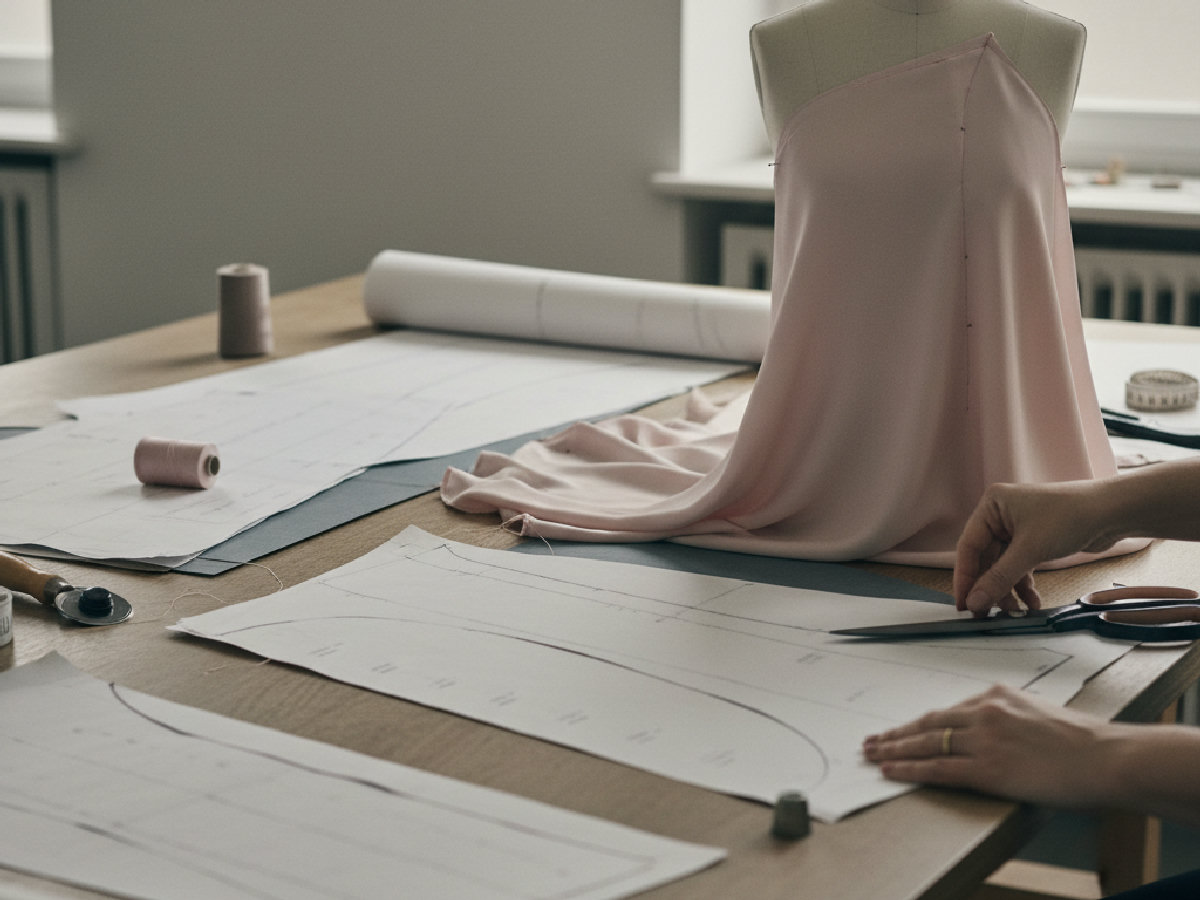
AI pattern tools have made DXF files a louder part of the fashion technology conversation. That is good. Pattern work has been slow, specialist-heavy, and expensive for too long. A clean DXF output can help teams move faster, especially when they need to digitize patterns, transfer pattern data, or support a CAD-led development process.
But speed creates a new risk. Teams can start treating one useful artifact as if it were the whole production system. That is where mistakes happen. A DXF file can describe geometry. It does not fully describe product intent. It does not explain why a measurement matters, which fabric was approved, which trim was selected, what tolerance is acceptable, which colorway is final, what changed after fit review, or what the vendor should do when two inputs conflict.
Fashion production fails in the gaps between artifacts. A pattern file can be technically correct and the handoff can still be weak. The better question is not, "Can AI generate a DXF file?" The better question is, "Can the team send a complete, reviewed, factory-ready production packet?" That second question is the one that decides whether a sample lands in 2 rounds or 6.
Technical designer? Cut sampling time before first fit.
The F* Word generates the tech packs, BOMs and sampling notes your factory actually needs. Plus a brand-aligned moodboard upstream. Free to try.
DXF stands for Drawing Exchange Format. In fashion and apparel workflows, it is often used to exchange pattern data between CAD systems, pattern software, manufacturing teams, and vendors. It can carry pattern shapes, curves, points, outlines, grading data, and other geometry depending on how the file is created and interpreted.
That makes DXF valuable. For pattern teams, it can support pattern digitization, pattern transfer between systems, cut file workflows, CAD compatibility, grading workflows, marker and layout preparation, and faster collaboration between pattern makers and manufacturers. A good DXF file can reduce rework. It can also reduce the need to manually recreate pattern geometry in another system.
But DXF answers a narrow question: what is the shape and structure of the pattern data? Production needs more questions answered. A vendor cannot quote, cost, source, sew, finish, inspect, or package a garment from geometry alone. Geometry is the skeleton. The tech pack is the body.

A factory does not only need pattern geometry. It needs operating instructions. It needs to know what to buy, what to cut, what to sew, how to finish, what to measure, what variance is acceptable, how to package, which label to apply, which sample comments were approved, and which version controls the work. A DXF file cannot carry all of that production meaning in a reliable, buyer-friendly way.

Pattern-ready means the garment has enough pattern information for pattern development, CAD transfer, or cutting preparation. Factory-ready means the vendor has enough production information to quote, sample, revise, and manufacture without guessing. Those are not the same thing. A product can be pattern-ready and still be weak for factory handoff. The 2x2 below maps where most fashion teams sit today and where they need to be.

The bottom-right quadrant is the goal. The top-right is where DXF-only workflows trap brands: the artifact looks technical, so the team assumes the handoff is done. The vendor then opens the file and discovers they cannot quote. Every quadrant above the bottom-right adds sample rounds and pushes launch dates.
A DXF file belongs in the stack. It should not replace the stack. The handoff sequence runs from creative direction to design concept or sketch, into pattern or DXF file, into flat sketch and callouts, into BOM, into POM and tolerances, into grading logic, into construction notes, into colorways and artwork placement, into labels, compliance, and packaging, into revision history and approvals, and finally into factory handoff. The handoff becomes stronger when each layer supports the next. The problem starts when one layer is treated like the whole system.
DXF-first workflows feel serious because they are closer to production than image generation. That is true. They are more technical than a pretty AI render. But closer to production is not the same as ready for production. A team can look at a DXF file and assume the product is now manufacturable. The vendor may open the file and still lack the data needed to cost, source, sew, finish, inspect, and package the garment.
That false confidence is expensive. It causes teams to move forward before the production packet is complete. It creates a later wave of clarification, sample changes, and rework. It can also hide commercial problems until costing or sampling exposes them. For a fashion brand, the goal should be clarity before commitment. DXF helps with clarity. It does not deliver the full picture alone.
The economic shape of this is simple. A clarification email costs nothing. A second sample round costs 4 to 8 weeks and a few hundred dollars per style. A wrong-version production run costs the entire MOQ. Each layer of missing data above pushes risk further down the chain. The DXF-first team often discovers this after the first PO is placed, not before.
Consider a brand uploads a jacket sketch and receives a DXF pattern. The pattern captures the broad geometry: body panels, sleeve shape, collar pieces, maybe pocket placement. That is progress. But the factory still needs answers. Is the shell cotton twill, nylon, wool blend, or denim? Is the lining full, half, or none? What is the zipper length and finish? Are the pockets functional or decorative? What is the seam allowance? What is the stitch density? Is the hem clean finished, bound, or topstitched? What is the chest measurement in base size? What is the tolerance on sleeve length? Are there labels at neck, side seam, care, and size? Which sample change was approved after fit review?
The DXF file cannot answer the product on its own. The tech pack carries the rest of the decision. Every unanswered question becomes either an email thread, a sample correction, or a vendor assumption. None of those scale.
A factory-ready handoff does not need to be bloated. It needs to be specific. At minimum, it should include the product overview, style name and version, flat sketches with front and back views, detail callouts, BOM with fabric and trim specs, POM table, base size measurements, grading logic, tolerances, construction notes, stitch and seam details, colorway table, artwork placement, labels and compliance notes, packaging instructions, revision history, approval status, and an exportable file package. The output should be clear enough that a vendor can quote and sample with fewer clarification loops.
AI should not be judged only by whether it can generate a pattern file. AI should be judged by how much production ambiguity it removes. A strong AI workflow can help by reading a sketch or image, identifying garment type and silhouette, suggesting likely construction details, drafting a BOM, creating POM structures, generating flat sketch callouts, organizing colorways, flagging missing fields, preparing export-ready files, and keeping revisions connected. The point is not to remove the technical team. The point is to give them a stronger first draft and a cleaner review workflow.
The F* Word respects DXF and pattern systems. Pattern makers matter. CAD workflows matter. Geometry matters. The stronger position is this: patterns are one production artifact. The workflow is the system that turns the design into something a team can approve, cost, sample, revise, launch, and learn from. A pattern-first tool can help pattern teams. A workflow-first platform helps cross-functional fashion teams. Brand DNA, fit logic, vendor history, and launch context all live above the pattern layer.
Three buyer personas pay the highest price when DXF is treated as the whole handoff. In-house creative directors and designers lose creative time to vendor clarification emails they should never see. Workflow buyers (heads of product, COOs, founders) lose budget to repeat sample rounds that should have been caught at the packet stage. Merchandisers lose launch slots because product data and launch assets fall out of sync. Each persona absorbs the same root cause through a different P&L line.
The designer feels it first. A typical fashion designer spends 25 to 40 percent of their week answering technical questions that the tech pack should have answered. The workflow buyer feels it second, usually 60 to 90 days later, when the season's sample budget is 30 percent over plan. The merchandiser feels it last, when the launch slips and the campaign team scrambles to update assets that no longer match the shipping product. A DXF-first workflow optimizes for the pattern team and externalizes cost onto every other function.
When the production packet is generated alongside the pattern, the failure modes above collapse. The designer sends a sketch and receives a tech pack with BOM, POM, construction notes, and colorways already populated against brand standards. The workflow buyer sees clarification emails drop because vendors can quote from the first send. The merchandiser inherits launch assets that point at the same approved colorway and material data the factory used to produce the garment. Pattern and packet stay in sync because they came from the same brief, not from two disconnected tools handed off through email.
The F* Word generates moodboards and factory-ready tech packs from the same brief. The DXF file (or any pattern artifact) becomes one layer inside the packet, not the whole packet. That sequencing is what turns a clever AI demo into a measurable reduction in sample rounds.
Failure mode 1: the silent substitution. Vendor opens the DXF, picks a fabric that looks close to the sketch, and quotes. Sample arrives in the wrong weight. Sample round 2. Failure mode 2: the tolerance ghost. POM table is missing tolerance columns. Sample fits 1cm small on chest, vendor argues it is in spec, brand argues it is not. 3 weeks lost. Failure mode 3: the colorway split. Designer approves a colorway in the moodboard tool, vendor produces against the colorway in the tech pack tool, marketing photographs the colorway from the sample. Three versions, one product. Customer receives a fourth. All three failures share a root cause: separate tools holding separate truths. A workflow with shared memory removes the root cause, not just the symptom.
DXF may be enough for pattern transfer between CAD systems, internal pattern development where your team already owns specs and construction, or cut file preparation when the design is already fully specified elsewhere. DXF is rarely enough alone for vendor handoff or collection launch, where launch assets need approved product truth. If you are sending the file to a vendor you have not produced with before, assume DXF is not enough. If you are sending it to a vendor who already has every other artifact for this style, DXF can be the missing piece.
Before sending anything to a factory, ask: Can the vendor quote this without a clarification call? Can the vendor source materials from the document? Can the sample room measure the garment consistently? Are tolerances defined? Are construction details clear? Are trims, labels, and packaging specified? Is there a final approved version? Are colorways connected to materials? Are changes tracked? Can launch teams trust the same product data? If the answer is no, the product is not factory-ready, regardless of how clean the DXF file looks.
Week 1: audit your last 3 styles. Count clarification emails per style and average sample rounds. This is your baseline. Week 2: pick one upcoming style and require a full tech pack alongside the DXF before vendor send. Use The F* Word to generate the BOM, POM, and construction notes from the same sketch the DXF came from. Week 3: send the paired handoff and track clarification emails again. Compare to baseline. Week 4: standardize the paired handoff for every style and add revision history to the workflow. Most teams cut clarification emails by 50% to 70% inside 30 days and one full sample round inside 60 days using this sequence.
A DXF file is a digital file format often used to exchange pattern geometry between CAD systems, pattern tools, and production workflows.
No. A DXF file can support pattern transfer, but factories also need BOM, POM, grading, construction notes, tolerances, trims, labels, packaging, approvals, and revision history.
A DXF file usually carries pattern geometry. A tech pack carries broader production instructions, including materials, measurements, construction, colorways, trims, labels, and approvals.
Some AI tools can generate or support DXF pattern workflows, but the output still needs expert validation and production context. AI is most useful when it generates the surrounding tech pack at the same time, so the pattern file lands inside a reviewed packet.
Factory-ready means a vendor has enough clear information to quote, sample, revise, and manufacture without guessing. It is a property of the full handoff, not of any single artifact.
They ask questions because pattern files do not usually answer sourcing, construction, measurement, tolerance, colorway, packaging, and approval details. Every question is a missing layer of the production packet.
Yes, when pattern data is needed. They should not confuse DXF output with the full production handoff. Use DXF as one layer inside a complete factory-ready packet.
They should generate or review a complete tech pack, including BOM, POM, grading, tolerances, construction notes, colorways, and revision history. The F* Word generates these from the same brief that produced the DXF, so the pattern and the packet stay aligned.
Turn a sketch, image, moodboard, or product idea into a reviewed production handoff with flats, BOM, POM, colorways, construction notes, revision history, and export-ready files. Start a brief in The F* Word and see the full packet land in minutes, not weeks.
Related: Tech Pack Revisions After Factory Comments: A Production-Ready Playboo
Get The F* Word workflow insights in your inbox.