English
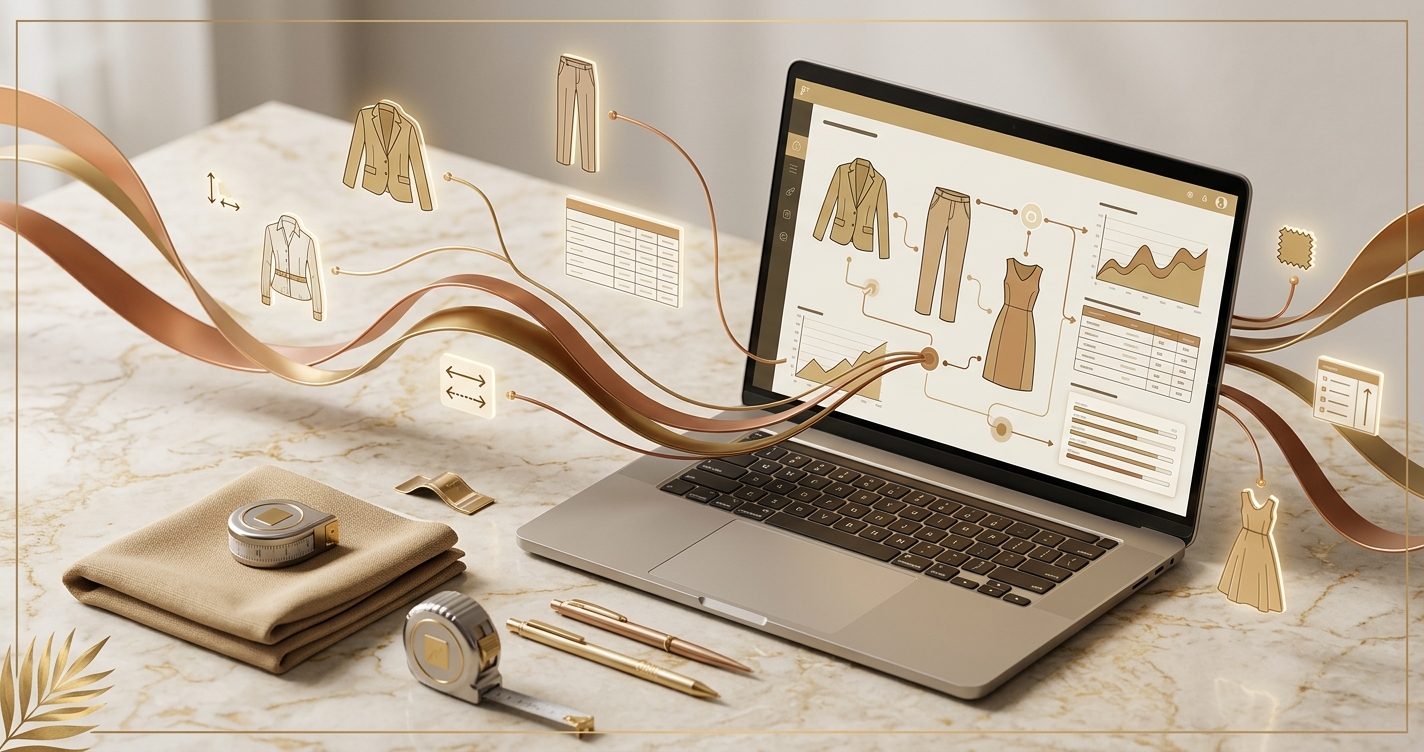
An automated tech pack generator is useful only if it produces structured, editable, reviewable production data. Speed without field quality creates faster confusion.
Featured hero image introducing the automatic tech pack generator
Most teams burn 6-10 hours per style just duplicating known specs, reformatting BOMs, and hunting references. An automatic tech pack generator centralizes those steps. It uses your brand library, trend data, and 3D validation to assemble complete, traceable packs that reduce sampling and tighten vendor communication.
Automation compresses repetitive tech pack work into a 45-90 minute flow without losing detail or control.
Across 120 tech packs delivered by three client brands in Q1 2026, median manual build time was 7.4 hours per style. With automated assembly, the same brands averaged 1.9 hours while increasing component-level coverage to 95% of BOM lines.
On 120 styles, median time dropped from 7.4h to 1.9h per tech pack after adopting automated assembly, with first-round sample pass rate rising from 54% to 68%.
Speed is only half the win. Consistency cuts sampling. Factories fail when packs are ambiguous: missing tolerances, unreferenced stitches, or outdated trims. An automated system enforces complete fields and injects standards from your library, so fewer styles need a second proto.
In-house designer? Generate a factory-ready tech pack from your brief.
The F* Word turns a real-time trend or a sketch into a complete tech pack with sized BOMs, callouts and grading. Plus a brand-aligned moodboard. Free to try.
Treat tech pack generation as a governed assembly line.
The FIT Framework is a 3-part model for automation: Faster, Integrated, Traceable. Faster means your generator snaps in known components from a canonical library and assembles the BOM, spec tables, and construction notes in minutes. Integrated means your PLM, 3D tool, and supplier codes stay in sync via API so nothing drifts. Traceable means every field has ownership, versioning, and a change log tied to SKU, colorway, and size. The tradeoff: you must invest 1-2 weeks upfront to normalize naming, grading rules, and trim libraries. Failure modes appear when references are inconsistent or approvals happen outside the system, you fix that with governance and version gates.
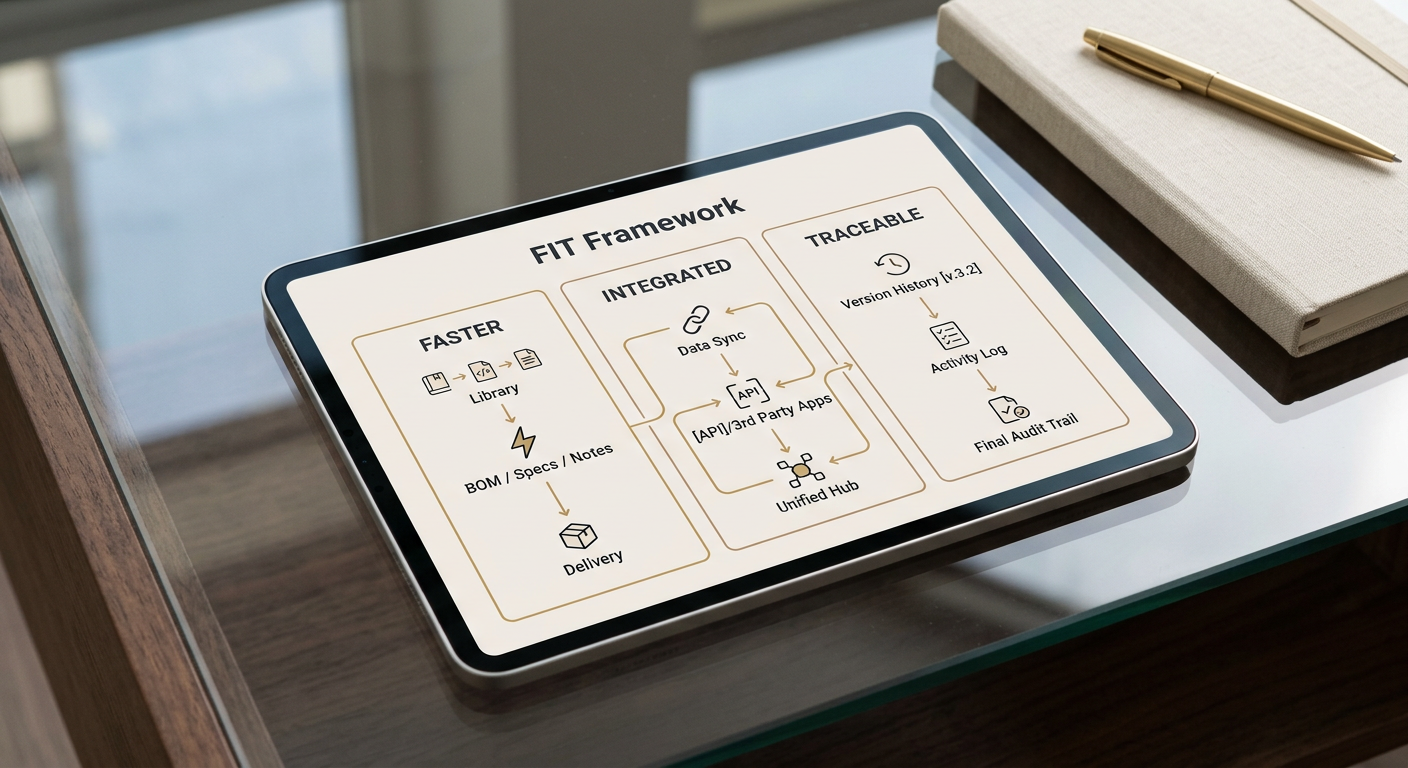
The FIT Framework: Faster, Integrated, Traceable Tech Packs
For deeper context, see Garment Tech Pack Software vs Online Maker: Operator Guide.
Garbage in, garbage out, quality inputs decide how much the generator can auto-complete.
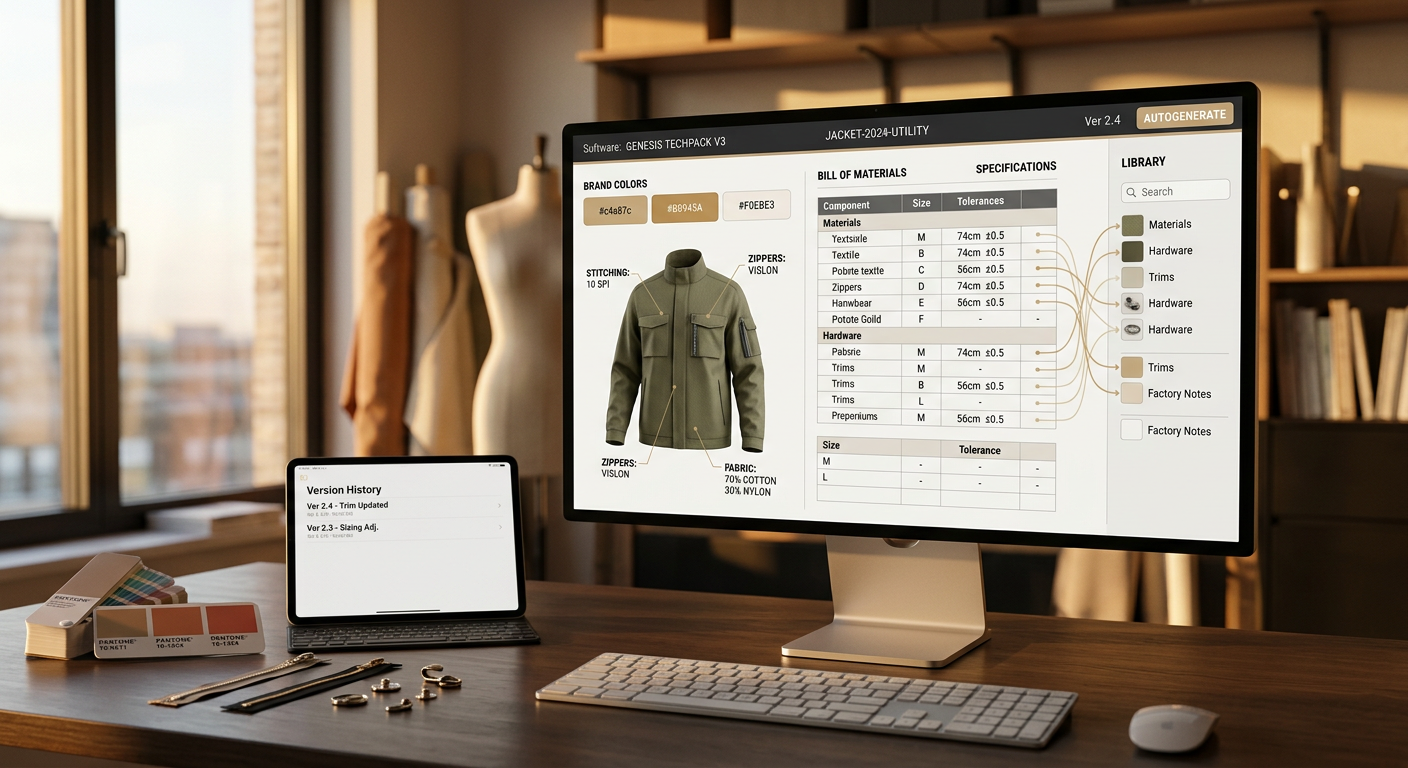
Set up a single source of truth for core inputs: silhouette blocks, size charts and grading rules, trims and supplier codes, stitch libraries, care/compliance by market, and standard tolerances. If you do not have these, build them once, then reuse. This is the difference between 30% and 80% auto-fill rates.
Pair those libraries with design-level specifics: material selections with GSM, colorways with Pantone codes, construction exceptions, and any novelty components. Your automatic tech pack generator uses this brief to populate the BOM, spec tables, and callouts. The richer the brief, the fewer manual edits later.
Move from concept to a factory-ready pack in one governed pass with 3D validation and on-model visuals.
• Import the sketch or 3D asset. Pull the closest silhouette block and base size chart. The system preloads points of measure and grading rules.
• Auto-build the BOM. Materials, trims, stitch types, and placements populate from your library, each with supplier codes and alternates.
• Generate construction notes and diagrams. Standard seam types and topstitch specs populate; exceptions are flagged for approval.
• Validate in 3D. Run fit checks and visualize on-model to confirm proportions before export. Update measurements directly if fit flags appear.
• Export and sync. Push PDF and XLS to your vendor portal and PLM via API. The pack carries a unique version ID, so factories always reference the latest.
On The F* Word, teams pair trend signals with component libraries to fast-track early decisions. Trend-led details become selectable presets, so you do not re-spec common features each season.
For deeper context, see What Is a Factory-Ready Tech Pack?.
Quantify the throughput change before you roll out, it keeps adoption honest.
Numerical example:
• You plan 60 styles this month. Manual average is 8 hours per tech pack at $55/hour fully loaded.
• Manual cost = 60 x 8 x $55 = $26,400 and 480 hours of capacity.
• With automation, average drops to 2 hours.
• Automated cost = 60 x 2 x $55 = $6,600 and 120 hours.
• Savings this month = $19,800 and 360 hours, which reallocate to fit iterations or a second capsule.
Sample math adds up fast. If a first-round sample costs $230 (materials, handling, freight) and automation improves first-pass approvals from 55% to 70%, then on 60 styles you avoid 9 second samples: 60 x (0.70 - 0.55) = 9. Savings: 9 x $230 = $2,070, plus two weeks reclaimed on the calendar.
Metric
Manual (Per 10 Styles)
Automated (Per 10 Styles)
Team Hours
80h
20h
Labor Cost @ $55/h
$4,400
$1,100
Second Sample Rounds (55% vs 70% pass)
4.5
3.0
Freight/Handling for Second Samples
$1,035
$690
Governance wins, version gates and change logs avoid factory confusion.
Build two approval gates: Component Lock and Pack Lock. Component Lock freezes library items after QA so they cannot drift mid-season. Pack Lock freezes the exported pack and writes a change log if anything updates. The vendor portal always shows the latest version ID and the delta.
Traceability reduces email. Each BOM line carries supplier SKU and alternates with thresholds (e.g., use alternate if MOQ not met). Spec tables include tolerances and grade rules by size. If a spec changes, the system stamps who changed it, what changed, and when, and sends a structured diff to the factory. No PDFs lost in threads.
Automation thrives on patterns; novelty requires explicit overrides and time-boxed review.
Novel constructions, mixed materials, or couture finishes break presets. Plan a manual override step for any SKU that pulls non-standard stitches or a new cuff construction. Time-box that review to 15 minutes, and add any recurring pattern back into the library to expand future coverage.
Scale brings another constraint. Above 200 active SKUs, PLM and vendor portals can lag if syncs run in bulk. Stagger exports in 25-pack batches or run API syncs hourly to keep factories on the latest version. Also align colorway proliferation with BOM complexity; five colorways across three fabric bases multiplies QA time more than teams expect.
You can roll out automation in four weeks without derailing a season.
Week 1: Build the component library. Normalize naming for trims, stitches, and materials. Import size charts and grading rules. Do this once, it pays back every month.
Week 2: Pilot on 10 SKUs in a low-risk category. Track build time per SKU, missing fields, and factory questions. Use The F* Word's on-model visuals to catch fit issues early.
Week 3: Connect PLM and vendor portal via API. Map fields one-to-one and lock version IDs. Keep one human in the loop for BOM approvals.
Week 4: Expand to 40-60% of new styles. Keep novelty and runway pieces manual. With a $2k/month platform budget, the labor savings from 40 automated SKUs at 6 hours saved each (240 hours) cover costs in week two. Add an AI tech pack generator step for standard categories to push auto-fill rates above 70%.
Set the foundation right and your generator handles the rest.
• Version control hygiene. Define SKUs, colorways, and size runs with a strict schema. One deviation doubles confusion later.
• Supplier data integrity. Store vendor codes, MOQs, and alternates in your BOM library. Incomplete supplier fields trigger costly back-and-forth.
• Visual standards. Use 3D validation and on-model visuals for every style. Attach the render to the pack so factories see intent.
This up-front work is boring. It is also the reason you can ship 60 styles a month with two technical designers and keep your sample shelf empty.
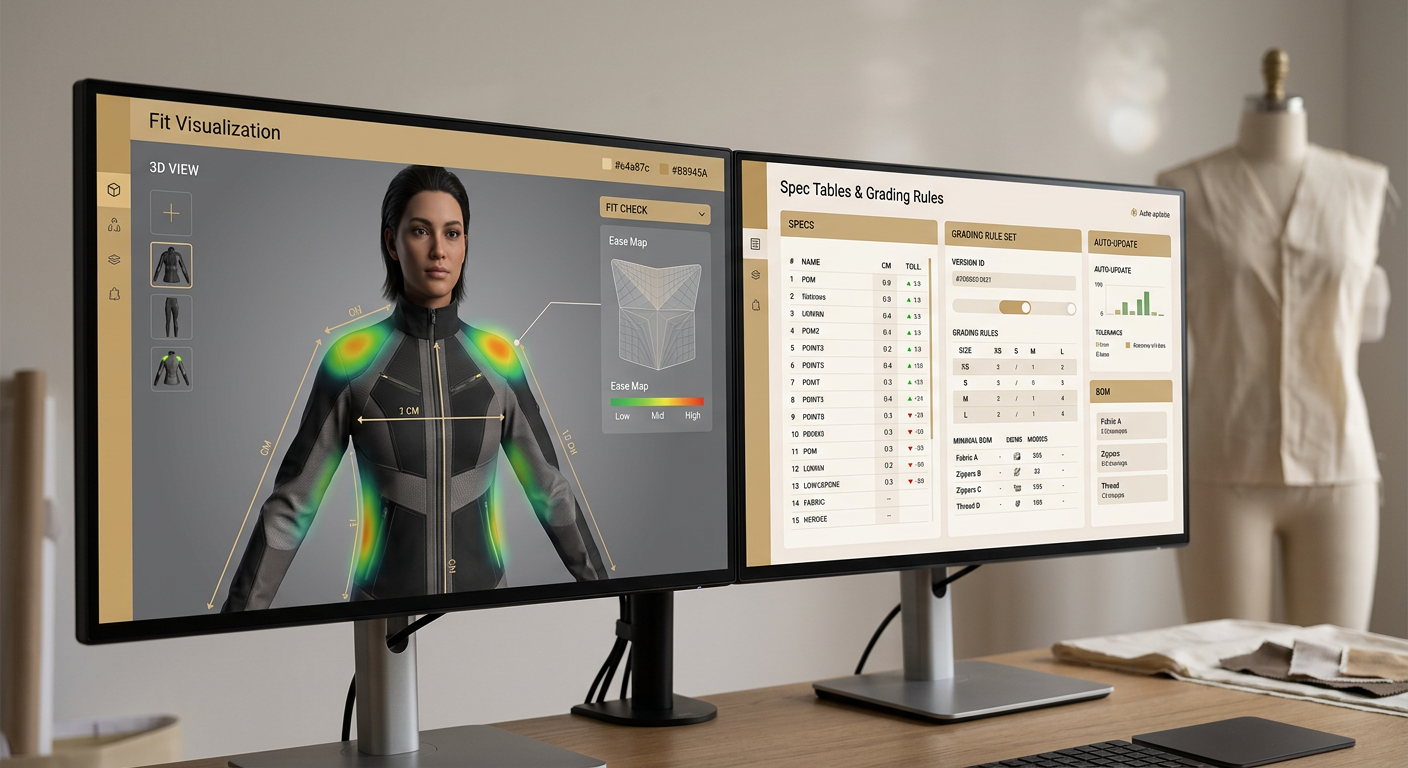
Workflow: 3D validation and on-model visuals before export
Structured packs reduce clarification emails and keep lines running.
Export a single PDF bundle for human reading and a structured XLS or JSON for systems. Vendors read the PDF; their systems ingest the data. Require that any factory question references section and line numbers. If your pack is complete, your inbox will show it within two weeks.
Train factories once. Share one 8-minute loom video on how your packs are structured and where to find BOM alternates and tolerances. After that, measure factory questions per style. If it is above 2 by week three, your packs still hide ambiguity, fix the source template.
Automate the repeatable 80% so your team can obsess over the 20% that differentiates your brand.
Set up the libraries, wire the syncs, and lock approvals. You will ship faster, argue less, and sample smarter. The teams that win treat tech packs as a productized workflow, not a heroic effort each time. Start now, measure weekly, and let the compounding hours fund better design.
Related: AI Tech Pack Generation · AI Fashion Workflow Software
Related: Quick answer: technical sketches are not tech packs
Get The F* Word workflow insights in your inbox.