

AI fashion design teams often find themselves overwhelmed by the sheer volume of options generated by AI-driven design tools. This creative abundance, while powerful, can quickly lead to confusion, decision fatigue, and costly inefficiency. The challenge is not a lack of ideas, but a lack of process to manage them. Without a structured system, teams drown in disorganized files, conflicting feedback, and ambiguous approval statuses. In this article, we explore the essential best practices that can streamline these processes, specifically focusing on AI fashion design version control. By adopting structured naming conventions, reliable feedback loops, and clear approval workflows, design teams can transform creative chaos into a highly efficient, predictable, and profitable design engine.
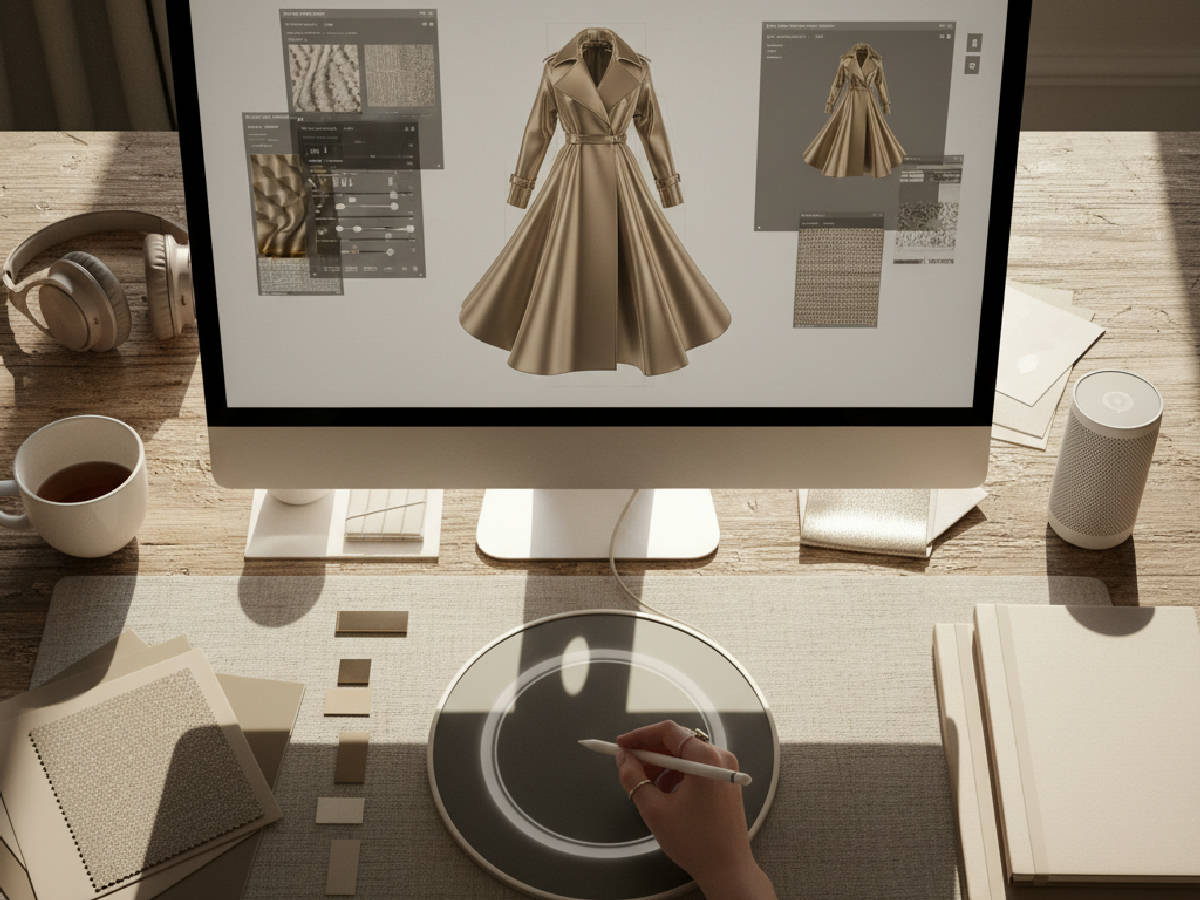
Establishing a clear and consistent naming convention is the foundational step for managing the torrent of AI-generated design versions. A weak or non-existent system guarantees wasted time and production errors. Each design iteration should be labeled with a unique, parseable identifier that includes key information such as the season, product category, style number, designer initials, and a version number. For example, a file named "SS26_Dresses_DR101_MM_V01_ConceptA" indicates the Spring/Summer 2026 collection, a dress with style number DR101, created by designer MM, as the first version of concept A. This level of clarity helps teams instantly locate and reference specific designs, reducing search time by up to 40% and eliminating the risk of working on an outdated file.
In addition to naming, a logical and enforced folder structure is mandatory for team collaboration. Common practice involves creating a parent directory for each season, then organizing subfolders by product category and then by design phase (e.g., Ideation, Technical Design, Sampling). This method aids in version tracking by creating a clear path to every file and aligns with the milestone-driven nature of the fashion calendar. Without this structure, files end up on local desktops or in generic cloud folders, creating knowledge silos and making handoffs nearly impossible.
The key to a successful naming convention is simplicity and consistency. It must be easy to understand and quick to apply. A good syntax should be built from general to specific. Consider this template: [Season]_[Category]_[StyleID]_[DesignerCode]_[Version]_[Status/Description]. For example, `FW26_Outerwear_CW205_JD_V03_FinalApproved`. The 'Status' tag is particularly useful for at-a-glance understanding, using terms like 'WIP' (Work in Progress), 'ForReview', or 'Final'. A critical failure mode here is a lack of enforcement. If one team member deviates, the whole system can be compromised. This can lead to a sample being created from `V02_ForReview` instead of `V03_FinalApproved`, costing thousands of dollars in wasted materials and labor.
Your folder structure should anticipate future growth. While a simple Season/Category structure works for small teams, a brand with 500+ SKUs needs more granularity. A scalable structure might look like this: `[Year] > [Season_Code] > [Product_Category] > [Style_Number_and_Name] > Subfolders`. Inside the style-specific folder, you should have standardized subfolders such as: `01_AI_Renders`, `02_Tech_Pack_Versions`, `03_Fit_Photos`, `04_Factory_Comms`. This deep structure ensures that all assets related to a single style are consolidated. Digital Asset Management (DAM) systems like Bynder or Canto can help manage and enforce these structures, using metadata to make assets searchable beyond just file names.
What this looks like in practice: For a tech designer at a 200-SKU contemporary brand, implementing a strict naming and filing convention is crucial for survival. The lead designer starts each season by creating a master folder in their shared cloud storage, like "SS26_Mainline". Inside, subfolders are organized by product category: "Dresses," "Outerwear," and "Knitwear." Each design file, from the initial AI mood board to the final tech pack PDF, strictly follows the naming convention. This discipline allows the tech designer to instantly pull up the correct `V04` of a tech pack during a fit session, rather than frantically searching through ambiguously named files while the whole team waits.

In-house designer? Make AI fashion design survive the factory.
The F* Word turns a real-time trend into a brand-aligned moodboard and a factory-readable tech pack. What you design is what the factory makes. Free to try.
Effective, documented feedback is the engine of successful iteration in AI fashion design. An unstructured feedback process filled with verbal comments, scattered emails, and conflicting notes will always result in subpar designs and frustrated teams. Implementing a structured feedback loop can drastically improve the quality and relevance of design outputs. One powerful approach is the "Triple R" framework: Review, Revise, and Reassess. This creates a predictable rhythm for creative development.
During the Review phase, designers present AI-generated designs to a core committee of stakeholders. This must include the creative director for brand vision, a merchandiser for commercial viability, and a technical designer for manufacturability. Feedback is collected and documented in a single, centralized location with timestamps. The Revise phase involves making the necessary changes based on this consolidated feedback. It is critical to batch feedback to avoid a constant stream of tiny, disruptive requests. Finally, the Reassess phase allows the team to evaluate the revised designs against the initial objectives and metrics defined in the review. This cycle ensures that every iteration is purposeful, data-informed, and aligned with brand goals, not just a reaction to the loudest voice in the room.
The right software is essential for making feedback loops work. Email chains are not a viable solution. Modern teams use visual collaboration tools that allow for precise, contextual feedback. Platforms like Frame.io (originally for video) or Oroson allow stakeholders to drop comments directly onto an image or design file, pointing out exactly which sleeve needs to be adjusted or which color is off. For more integrated workflows, Product Lifecycle Management (PLM) systems like Centric PLM or DeSL have built-in commenting and markup tools that link feedback directly to the product's official record. When selecting a tool, criteria should include its ability to integrate with your design software (e.g., Adobe Illustrator, CLO 3D), its versioning capabilities, and its ease of use for non-technical stakeholders like merchandisers.
What this looks like in practice: At an upscale fashion house, a designer uploads a set of AI-generated dress concepts to their collaborative platform. The creative director, lead technical designer, and head merchant receive an automatic notification. Over the next 48 hours, they log in and leave annotated comments directly on the images. The merchant might highlight a silhouette as commercially risky, while the technical designer flags a seam as difficult to manufacture at cost. All feedback is captured in a shared digital workspace. During the Revise phase, the designer addresses each comment, marking them as "resolved." In the Reassess phase, the board reviews the changes, ensuring alignment with the brand's vision before finalizing the designs for tech pack creation.
Common pitfalls: A major pitfall in feedback loops is the "drive-by" verbal comment that is not officially documented. A creative director might mention in passing, "let's try that in blue," but if it's not recorded in the central system, it creates confusion and conflict later. Miscommunications can arise when feedback is not accurately captured or when there is a significant delay in applying revisions. To avoid this, it is essential to use collaboration tools that provide time-stamped comments and a full version history, creating a single source of truth that overrides any hallway conversations.
For the smooth progression of design concepts from ideation to production, a documented and respected approval workflow is non-negotiable. This process involves multiple, well-defined checkpoints where designs are formally evaluated against brand standards, financial targets, production feasibility, and market trends. Without these gates, styles that are not commercially viable or are too expensive to produce can move far down the development pipeline, wasting significant time and money.
Typically, a reliable approval workflow includes stages such as initial concept review, technical design validation, fit sample approval, and final production approval. Each stage involves specific roles and gates. For example, a design cannot move from concept to technical design without the explicit approval of both the Creative Director and the Head of Merchandising. By defining these clear roles, responsibilities, and the precise criteria for passing each gate, teams can eliminate bottlenecks, reduce ambiguity, and dramatically accelerate the entire design-to-market process.
Manual tracking of approvals via email or spreadsheets is slow and prone to error. Modern workflow automation is key. Platforms like The F* Word, or broader PLM systems, can automate this entire process. When a designer marks a concept as "Ready for Review," the system can automatically notify the required approvers. Once all parties have signed off digitally, the system can automatically change the design's status to "Approved for Technical Design" and notify the next person in the chain, the technical designer. This removes the need for constant manual follow-up and provides a clear, auditable trail of who approved what, and when. This automation can shave weeks off the product development calendar.
What this looks like in practice: In a mid-sized apparel company, the approval workflow begins with a concept review meeting where designers and product managers present AI-generated concepts on a shared platform. After initial digital approval, the status of the design automatically updates in the system, and the technical design team is assigned the task of building out the tech pack. They validate specs and construction details within the same platform. Once the tech pack is complete, it triggers a notification to the sourcing team to begin costing. Finally, the merchandising team conducts a margin analysis based on the factory's cost before granting final digital production approval. The entire history is logged against the style number.
The right tools are indispensable for managing AI fashion design version control, transforming it from a manual chore into an automated, strategic advantage. Platforms that offer integrated version control features can significantly streamline the design process. These tools are no longer just file storage; they are active an participant in the design lifecycle. They provide a complete, time-stamped version history, allowing teams to instantly revert to a previous version if a new direction proves unsuccessful, saving hours or even days of rework.
Additionally, the best platforms offer sophisticated collaborative features, enabling multiple stakeholders to provide input and feedback in real-time within the context of the design itself. Features to look for include visual diffing tools that highlight the exact changes between two versions of a design or tech pack, permission-based access control to ensure only authorized users can make changes or approvals, and automated change logs that document every modification. This collaborative environment enhances communication and builds a more dynamic, transparent design iteration process.
What this looks like in practice: At a leading sportswear brand, the design team uses a combination of CLO 3D for virtual prototyping and a PLM platform like Centric. Designers upload new 3D versions of their work directly to the PLM, where stakeholders from merchandising, development, and marketing can leave time-stamped, annotated feedback. The platform tracks every change to the 3D model, the associated bill of materials, and the measurement chart. If a fit model test shows that the V3 armhole was better than the V4, the team can revert that specific part of the design package in seconds, without having to manually hunt for old files and spec sheets.
The approach to version control differs significantly based on the size and complexity of the operation. For larger teams, a systematic, centralized approach using shared platforms and standardized processes is absolutely critical. This ensures that all team members are aligned, working from the most current information, and can access the necessary resources efficiently. Consistency is enforced through technology and well-documented procedures.
In contrast, solo designers or very small teams can afford to be more agile and may opt for simpler systems that focus on personal workflow optimization. They do not have the same communication overhead as a large team. These might include personal version tracking spreadsheets, disciplined file-naming in a cloud storage service like Dropbox or Google Drive, or lightweight project management tools like Trello or Asana to track the status of different design versions. The key for solo designers is discipline, as there is no team to enforce the rules.
Regardless of team size, every fashion brand should create a "Version Control Playbook." This is a living document that outlines the company's entire process. For large teams, this is a formal document stored on the company intranet. For a solo designer, it might be a simple checklist. This playbook should define the naming convention, the folder structure, the "source of truth" platform (e.g., "All final tech packs live in the PLM, not on local drives"), the steps in the feedback loop, the key stages and owners of the approval workflow, and the protocol for archiving old or obsolete projects. This document is invaluable for onboarding new employees and serves as a reference to maintain consistency as the team grows.
What this looks like in practice: A solo designer working on a capsule collection might use Google Drive for storage and a simple naming convention like `[ProjectName]_[Item]_[Version].ai`. She uses the built-in version history feature in Google Drive to revert changes if needed. This allows for easy access and sharing with freelance pattern makers or clients, ensuring that all iterations are organized and accessible. Meanwhile, a 50-person design team at a major retailer has a 20-page Version Control Playbook that every new hire must read. It details their specific PLM software usage, defines the roles of "Technical Designer I" vs "Technical Designer II" in the workflow, and provides screenshot examples of correct file naming.
The F* Word has developed a comprehensive approach to version management that combines industry best practices with powerful, purpose-built technology. At the core of this approach is the use of an AI-powered platform that automates many of the most time-consuming and error-prone aspects of version control. This includes the automated generation of tech pack components like the bill of materials (BOM), graded measurement specifications, and detailed construction callouts directly from design inputs.
By using these tools, The F* Word allows designers to focus on creativity and problem-solving, not on administrative data entry and file management. The platform acts as a central hub, connecting initial AI design concepts to a fully versioned, production-ready tech pack. This approach also includes regular training sessions and a dedicated support team to ensure that all users are experts in the latest tools and techniques, maximizing their efficiency. This dramatically reduces the risk of human error and accelerates the entire development cycle.
What this looks like in practice: Within The F* Word, a designer can upload an AI-generated image of a jacket. The platform helps extract key details and translates them into a structured tech pack. When the merchandiser requests a change from a zipper to a button closure, the designer makes the update in The F* Word. The platform automatically creates `V02` of the tech pack, logs the change, updates the BOM, and archives the previous version. This creates a smooth, auditable trail, reducing administrative load and improving overall workflow efficiency by an average of 75%.
After a design is finalized and approved, the handoff to the manufacturing partner is a critical phase where clear version control is paramount. Any ambiguity or error at this stage can lead to costly sample remakes, production mistakes, and shipping delays. The entire history of design decisions and specifications must be communicated flawlessly through the tech pack.
Designs are communicated through these highly detailed tech packs, which include all necessary specifications such as fabric composition and weight, color standards like Pantone codes, stitch types and stitches per inch (SPI), a full graded spec sheet, and packaging instructions. AI tools, especially platforms like The F* Word, assist by auto-generating complete tech packs from the finalized design files. This ensures that the information is perfectly consistent with the approved version and reduces the risk of miscommunication or data entry errors by over 90%.
What this looks like in practice: A large-scale manufacturer in Vietnam receives an AI-generated tech pack link from a global fashion brand using The F* Word. The tech pack is not a static PDF but a living document that includes comprehensive details, 3D renders, and construction notes. This tech pack is directly integrated into the manufacturer's own ERP system via an API, allowing for immediate, automated production planning and raw material ordering. If the brand makes a last-minute approved change to a care label, the tech pack updates in real-time, preventing a production run with outdated information.
Quality assurance is essential to maintaining brand standards and ensuring that the final products arriving in the warehouse perfectly match the approved design specifications. Reliable AI fashion design version control systems are the foundation of a modern QA process, providing a precise, undisputed record of all design iterations and changes.
QA teams can reference these versioned tech packs as the "single source of truth" when inspecting samples and bulk production. They can verify that each product aligns with the approved design specifications, from the exact button placement to the correct shade of blue. Additionally, AI tools can begin to automate parts of the QA process itself. Computer vision can be used to check for consistency in pattern grading, screen print placement, or even fabric weave integrity, comparing production units against the digital twin at a scale and speed impossible for the human eye.
What this looks like in practice: At a high-end fashion label, the QA team on the factory floor uses a tablet app connected to their PLM. They scan a QR code on a garment's production tag to instantly pull up the final approved tech pack, version `V05_Final`. They follow a digital checklist, comparing the physical garment to the digital file. When they find a pocket that is stitched 5mm out of tolerance, they take a photo with the tablet, annotate the issue directly on the tech pack image, and flag the discrepancy. This instantly notifies the brand's production manager and the factory manager, creating a real-time feedback loop for quality control.

AI fashion design version control refers to the systems and processes used to manage the many iterations of design outputs generated by AI tools. These systems help in tracking changes, managing feedback, and ensuring that the most recent and approved versions of designs are used for production. It involves using specialized software to organize and document every change made to a design's sketch, measurements, materials, and construction. This is crucial for maintaining consistency and accuracy across a brand's product line and avoiding costly manufacturing errors.
Naming conventions are crucial because they provide a standardized, human-readable way to identify and locate specific design versions without opening them. Consistent naming reduces the risk of confusion, saves significant time when searching for files, and prevents costly errors that can erode profit margins by 2-3% per season. It ensures that all team members, from designers to merchandisers to factory partners, are on the same page when it comes to version tracking, which is particularly important in fast-paced environments where multiple iterations are developed simultaneously.
AI tools enhance version control by automating many of the manual, repetitive tasks involved in managing design iterations. For instance, instead of manually creating 10 different PDF tech packs for 10 colorways, an AI-powered platform can generate all 10 versioned documents from a single master style. They also enable real-time collaboration and provide features like automated version history tracking and visual comparison tools, which help teams efficiently manage and update design files. This automation increases the speed at which designs can be iterated and approved, allowing brands to respond more quickly to market trends.
Scaling version control can be challenging due to the exponential increase in complexity. Managing multiple design iterations across large, often global, teams introduces communication barriers and points of failure. The biggest challenge is ensuring consistent adoption of the process. Without a centralized platform and strong leadership, individual teams may create their own local systems, leading to chaos. Teams must invest in strong software solutions that act as a single source of truth and provide the necessary tools for effective collaboration, automation, and reporting.
Explore The F* Word platform for faster tech pack development and streamlined design processes. Embrace AI-driven version control to reduce sampling rounds and stay ahead of trends.
Related: ai in fashion industry
Get The F* Word workflow insights in your inbox.