
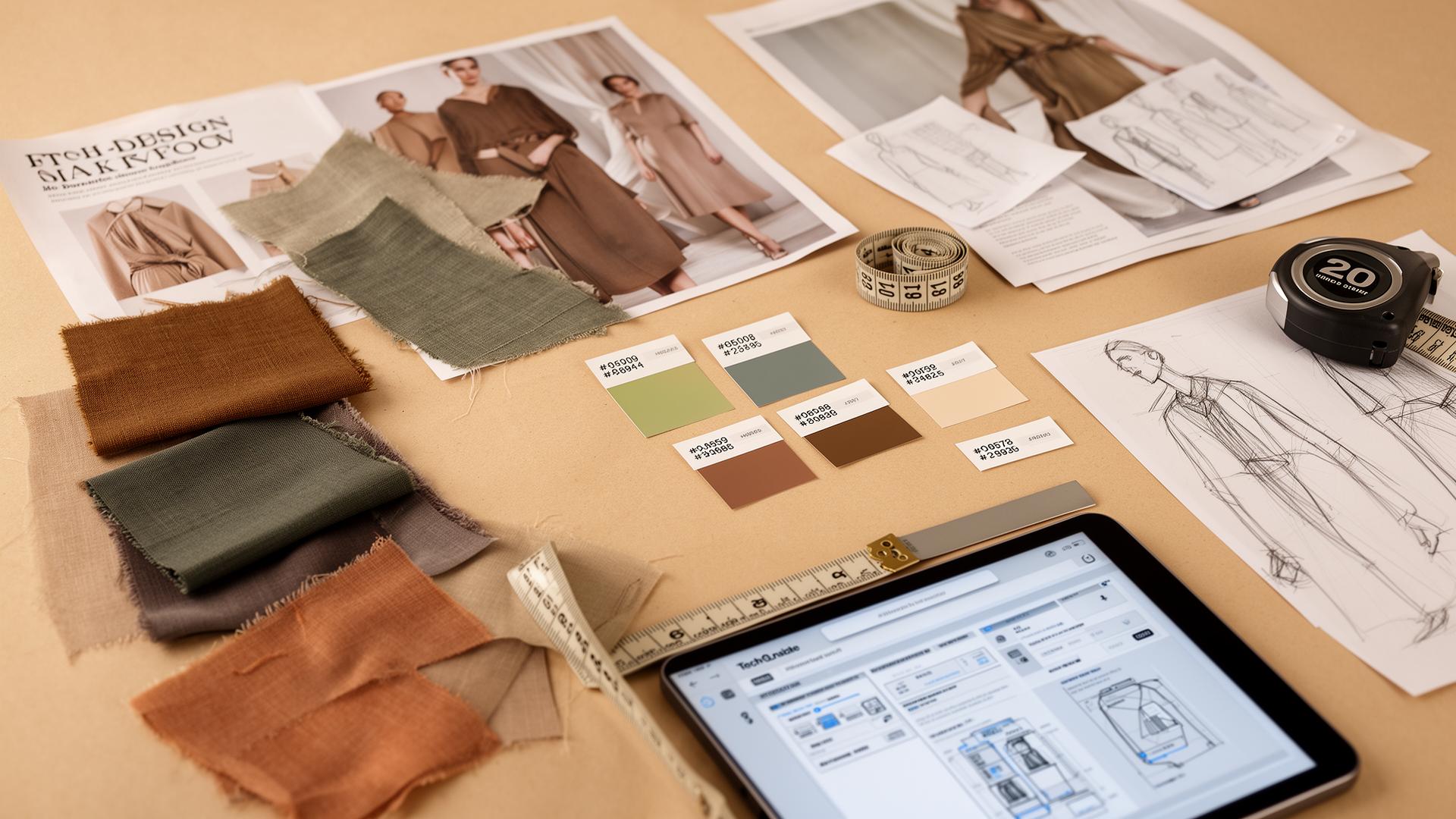
A fashion moodboard for AI design should include colourway, fabric family, silhouette references, trims and a target price point. The F* Word reads exactly those inputs and returns a factory-ready tech pack in 8 to 10 minutes with bill of materials and points of measure.
An AI-ready fashion moodboard must contain structured, explicit data, not just aspirational visuals. The core components are high-resolution, multi-angle images of silhouettes, construction details, and materials; specific textual annotations defining fit, fabrication (e.g., "180 gsm cotton jersey"), colors with Pantone or HEX codes, and trim specifications; and clear negative constraints. Instead of a loose collection of ideas, think of it as a machine-readable brief. A successful moodboard for AI is the foundational document that allows a workflow platform to autonomously generate a complete, factory-ready tech pack, translating creative vision directly into production specifications without human re-interpretation.
Traditional moodboards serve as a north star for a collection's feeling, color palette, and overall aesthetic. They are designed for human interpretation, allowing a creative director to communicate a feeling to a team of designers who then translate that abstraction into concrete garments. This process is filled with meetings, subjective feedback, and iterative loops. When designing for an AI-driven workflow, the moodboard's function fundamentally changes. It's no longer just a tool for inspiration; it is a primary input for instruction.
The objective is to eliminate ambiguity. An AI workflow platform doesn't guess a creative director's intent. It parses structured data to execute specific tasks. Therefore, your moodboard must be constructed as a detailed brief. Every image, every note, and every reference must serve as a direct command or parameter. The goal is to provide enough specific information for the AI to generate a Bill of Materials (BOM), Points of Measure (POM), construction details, and graded specs for a tech pack with minimal to no human intervention.
This approach transforms the moodboard from a starting point for conversation into the definitive source of truth for the product. It front-loads the decision-making process, requiring designers and creative directors to be more precise at the conceptual stage. The payoff is a dramatic acceleration of the product development calendar, condensing weeks of back-and-forth between design, technical design, and sourcing into a single, automated step. With The F* Word, that fully-specified moodboard is what lets the platform autonomously generate a factory-ready tech pack in 8 to 10 minutes.
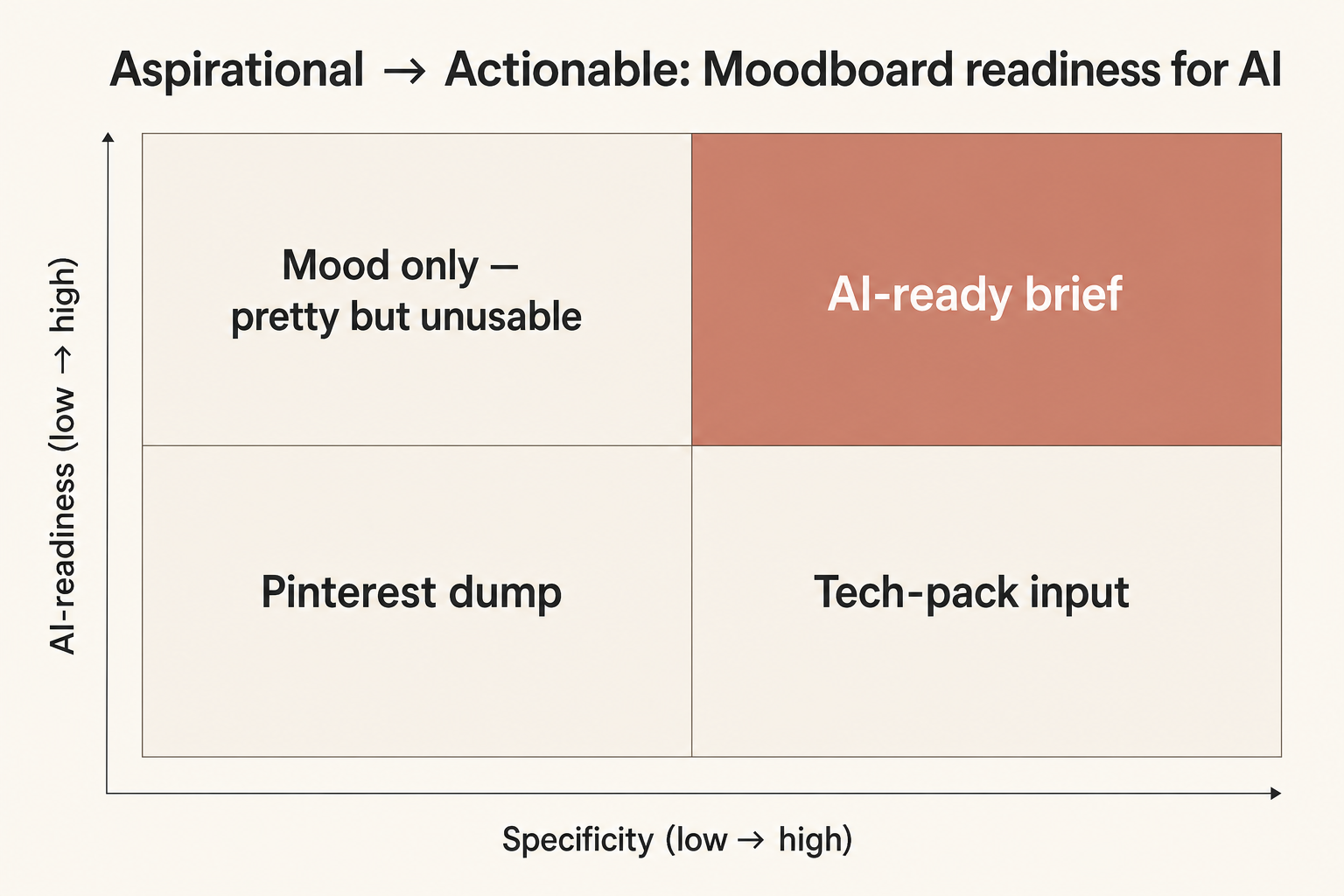
AI requires moodboards to move from the 'Aspirational' quadrant (high-level vibe, human interpretation) to the 'Actionable' quadrant (structured data, machine interpretation).
To be effective, an AI-ready moodboard needs a clear, consistent structure. While the format can be a digital canvas, the organization of information is critical. Think of it as creating a dataset for your design. Each element should be categorized and linked, providing a complete picture of the intended garment. A well-structured board should be easily parsable by both a product development manager and an AI system.
At a high level, your moodboard should be divided into sections for each key attribute of the product. This creates a logical hierarchy that the AI can follow. A useful structure includes:
The quality and specificity of your images are paramount. Low-resolution, atmospheric images from a runway show are great for setting a tone but provide zero actionable data for an AI. An AI system needs clear, well-lit, and high-resolution images that function like technical photographs. The goal is to visually document every aspect of the garment as if you were explaining it to a factory manager who has never seen the product before.
For silhouette, provide images from the front, back, and side. If the garment has an important interior detail, include a photo of that as well. For construction details, go beyond just pinning a photo of a pocket. Use multiple images if necessary to show the pocket's placement, scale, and specific construction, like a welt versus a patch pocket. Use annotation tools directly on the images to draw arrows and add short notes pointing to specific features. For example, an arrow pointing to a seam with the note "5/8 inch double-needle topstitch."
Think of your visual inputs as a training set for the AI. You are teaching it what a "moto-style asymmetrical zip" looks like on a leather jacket or how the placket on an oxford shirt should be constructed. Vague images lead to generic outputs. Precise, detailed images, even if they are photos of existing vintage pieces or competitor products, provide the concrete visual data needed to generate accurate technical specifications.
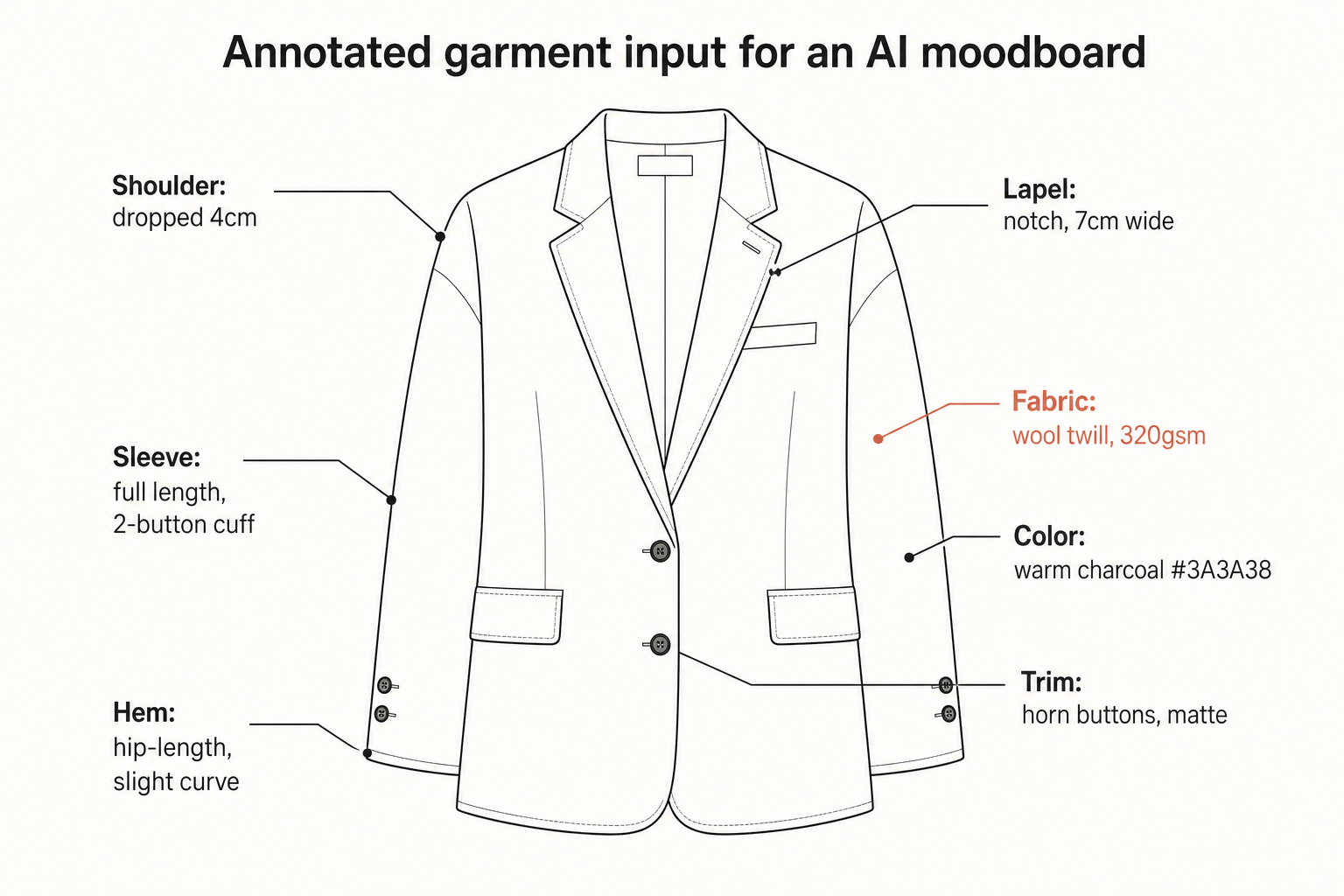
A reference image annotated with specific callouts for placket construction, button type, and stitch density provides unambiguous instructions for AI.
Visuals are only half the story. Textual annotations are where you translate subjective creative language into objective, technical specifications. This is the part of the moodboard that explicitly communicates your intent and constraints. Your notes must be precise, using industry-standard terminology wherever possible. Avoid subjective words like "flowy," "cool," or "edgy." Instead, quantify these concepts.
"Flowy" becomes "Use 120 gsm rayon challis with a soft drape." "Cool blue" becomes "Pantone 19-4052 Classic Blue TCX." "Edgy" can be broken down into concrete elements like "Exposed silver Riri M8 zippers at cuffs and front closure" and "Unfinished raw edge at hem." Every creative decision must be linked to a measurable parameter. This includes defining negative constraints, which are just as important. For example, "No chest pocket" or "No branding on exterior."
This level of detail feels more like writing a spec sheet than creating a moodboard, and that's exactly the point. You are embedding the core of the tech pack directly into the moodboard. This includes callouts for desired POMs (e.g., "Chest width 1 inch below armhole: 22 inches for size M"), material composition ("98% Cotton, 2% Elastane"), and even care instructions ("Machine wash cold, hang dry"). The more quantitative and specific your text is, the more accurate the AI's output will be.
Specifying materials and trims without physical samples presents a unique challenge, but it's entirely manageable with the right data. For an AI, a picture of a fabric is not enough. The image must be paired with structured data that describes its properties. When specifying a fabric, include as much of the following as possible: fiber content (e.g., 100% organic cotton), weave or knit type (e.g., twill, jersey), weight (e.g., 250 gsm or 8 oz), and any specific finish (e.g., peached, enzyme washed).
If you are working from a known fabric library, include the supplier and article number. This provides a direct, unambiguous link for sourcing. If you are defining a new fabric, providing these technical attributes allows the AI to search for or specify equivalent options from global supplier databases. The same principle applies to trims. Don't just show a picture of a button. Specify its material (e.g., corozo, plastic, metal), diameter in millimeters or ligne, number of holes, and finish (e.g., matte, polished).
For zippers, note the type (e.g., Vislon, coil, metal), size (e.g., #5), and manufacturer (e.g., YKK, Riri). For labels, provide dimensions, material (e.g., woven damask, printed satin), and fold type (e.g., center fold, end fold). This level of detail in the moodboard stage eliminates entire rounds of sample approvals and sourcing questions, as the initial specifications are complete and ready for execution.
Communicating fit and construction is a critical function of the technical designer, and this knowledge must be baked into the AI-ready moodboard. This is where you bridge the gap between a 2D image and a 3D garment. Use a fit reference, often called a "block" or "sloper," as your starting point. This could be a CAD file of an existing well-fitting garment or a detailed photograph of one on a fit model with annotations for desired changes.
Provide a comparison table to make changes from a base block explicit and easy for the AI to parse. This is far more effective than descriptive text.

For construction, use annotated flat sketches or photos of similar garments to specify seam types, stitch densities, and finishing techniques. A note like "French seams on all interior side seams" or "Coverstitch on neckband and hem" provides clear, unambiguous instructions. This data, combined with the silhouette images and POM table, gives the AI everything it needs to generate the construction page of a tech pack accurately.
The ultimate purpose of an AI-ready moodboard is to enable a fully automated hand-off to a tech pack. This is where a platform like The F* Word adds significant value. It is the orchestration and validation layer that sits between the creative input (the moodboard) and the final production output (the tech pack). It is not a PLM, a 3D simulation engine, or an image generator. Its role is to interpret, validate, and execute.
When a designer or creative director uploads their structured moodboard, the platform parses all the visual and textual data. It cross-references material specifications with supplier libraries, validates the POMs against industry grading rules, and structures the construction notes into a clear sequence of operations. The output is a complete, fully detailed tech pack in 8 to 10 minutes, including the BOM, POMs, construction details, and graded specs, ready to be sent to a factory.
This entire process replaces what is traditionally a multi-day, multi-person workflow with an automated one. The technical designer's role shifts from manually creating these documents to validating the AI-generated output and managing exceptions. This frees up significant capacity, allowing them to focus on more complex problem-solving and innovation rather than repetitive data entry. The quality of the moodboard directly determines the quality and speed of this hand-off.
Transitioning to creating AI-ready moodboards involves changing established habits. There are several common pitfalls that can undermine the effectiveness of an AI workflow. Avoiding these will ensure your input leads to a high-quality, accurate tech pack.
High-quality, well-lit images combined with detailed structured data (fiber content, gsm, weave, finish) are sufficient for AI to specify materials. While physical swatches remain useful for the final human sign-off on touch and drape, they are not required for the AI to generate the initial tech pack and source potential fabric matches from a digital library.
As specific as possible. The level of detail should mirror what you would write on a final tech pack. Use industry-standard units and terminology. For example, instead of "a small button," write "12L (8mm) 2-hole corozo button in a matte black finish." The more quantitative data you provide, the more accurate and useful the AI's output will be.
An AI workflow platform processes each garment specification individually. You can have a single moodboard with concepts for multiple seasons, but each item must be tagged or organized into its respective collection or delivery. The platform will then generate separate tech packs for each item based on its specific instructions, regardless of the overall board's theme.
An aspirational moodboard is a great starting point for the creative concept, but it must be augmented with technical data before it can be used as an input for an AI. The process involves taking each aspirational element (e.g., "the feeling of this dress") and translating it into concrete data points (fabric, fit, color, trim) that the AI can act upon. The aspirational board sets the direction; the technical brief executes it.
It front-loads the technical design process. Designers and creative directors will spend more time at the moodboard stage gathering and structuring data, but this investment dramatically reduces time spent on revisions, sample approvals, and communication later. The role evolves from being a translator of creative ideas to being an architect of detailed product briefs, and the result is the same factory-ready tech pack in 8 to 10 minutes instead of weeks.
A digital canvas or workspace is ideal. The platform should be able to handle high-resolution images (JPG, PNG, TIFF), vector files (AI, SVG, PDF) for technical sketches, and structured data inputs like spreadsheets (XLSX, CSV) for material lists and POMs. Avoid proprietary formats that cannot be easily parsed.
Yes. An AI workflow platform like The F* Word complements a PLM system; it does not replace it. The AI handles the creation and validation of the tech pack from the moodboard input, but the PLM is the central repository for managing the entire product lifecycle, including sourcing, costing, and production tracking. The AI feeds the high-quality, validated data directly into the PLM.
The F* Word relies on five: colourway, fabric family, silhouette reference, trims and target price. With those present, The F* Word generates a factory-ready tech pack in 8 to 10 minutes covering bill of materials, points of measure and construction notes.
Get The F* Word workflow insights in your inbox.