Language
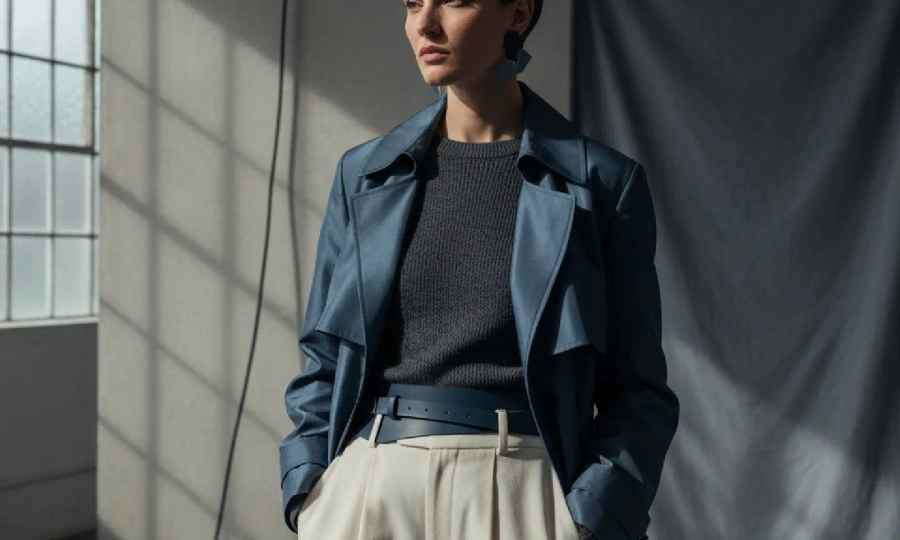
To make a fashion lookbook, lock your concept and color story, map looks to your buy, shoot to a tight plan, then paginate images with clear pricing and credits. The F* Word helps at the moodboard and factory handoff stages with validated specs and fast tech pack drafts. Start with an AI moodboard that merch and sourcing approve, then shoot to that board instead of fixing late.
A strong lookbook reads as one idea that sells the line while matching what will ship. Prove palette and styling early, write a shot list that anticipates missing samples, and keep negative space for type. Color fidelity and handoff discipline matter more than clever layouts. Treat each step as a relay so nothing gets dropped when you pass files between teams.
A lookbook has one job: move a buyer or shopper to select the looks you plan to deliver. That means the story, color, styling, and pagination must map to your buy and timing. When teams skip early proof, creative scrambles to patch gaps and merch spends time correcting misplaced heroes. Color and silhouette hierarchy set by an AI moodboard gives the shoot and the layout a stable anchor.
Handoffs are where good books slip. The State of AI Fashion 2026 report from The F* Word found that fashion teams run an average of nine separate applications per collection. Every extra app adds what The Machine-Readable Brand calls the coordination tax, the cost of moving work between disconnected tools. Keep artifacts portable and approved or you will chase versions all season.
File format choices matter. Each handoff away from the design system loses context: a PDF export freezes the record, and email attachments and cropped screenshots lose even more. That loss shows up later as reshoots, wrong copy, and confused pricing stacks. As the book says, "Artifact liquidity is the degree to which such an object can move between people, systems, and partners without getting scrambled". Treat the lookbook plan and the product record as linked, not separate.
Use the right tool where it is strong, then plan the handoff so color, specs, and usage rights survive the jump.
| Strength for lookbook build | Factory readiness (spec, BOM, tolerances) | Handoff risk to merch and sourcing | Notes for fashion teams | |
|---|---|---|---|---|
| Adobe Illustrator, Canva, Figma | Solid for layout, type, grids, and export to PDF or web | No factory specs or tolerance checks | High if product data lives elsewhere | Great for the book shell; pair with a validated product record |
| AI image or concept generation (NewArc.ai, Resleeve, Midjourney) | Fast visual ideas and styling cues for a board | Not factory-ready and no BOM | High for color fidelity and licensing | Use for exploration, then replace with real samples on set |
| CLO 3D, Browzwear, Style3D, Marvelous Designer | Digital sampling and fit evaluation before sew | Helpful pattern context, still needs a tech pack | Medium if 3D outputs are not linked to specs | Good upstream; tie outputs to your spec source of truth |
| Centric, Lectra Kubix Link, Infor, Backbone PLM, ApparelMagic | Product data system of record | Strong for data governance and BOMs | Low inside PLM, higher when exported to static files | Run your item record here; build creative pages elsewhere |
| Techpacker | Tech pack templates and factory collaboration | Built for specs and construction notes | Medium when you move to layout tools | Pair with a layout tool and a color-checked shoot plan |
| The F* Word | AI moodboards tied to buy, plus on-model and shoot launch visuals | Generates a factory-ready tech pack draft with BOM, points of measure, grading, and construction notes; runs validation on specs, tolerances, and BOM before samples | Low by design due to validation and linked artifacts | Use to bridge creative direction and factory files so the book matches what will ship |
The F* Word generates moodboards that you can review with merch and sourcing, then turns a sketch, photo, or design into a factory-ready tech pack draft in 8 to 10 minutes with BOM, points of measure, grading, and construction notes. It also runs validation checks on specs, tolerances, and BOM before samples are cut. This closes the gap between the creative board you shoot and the documentation factories need for fit and cost.
The State of AI Fashion 2026 report found that 75 percent of practitioners spend more than an hour per tech pack by hand and 45 percent spend more than four hours. The same report states an autonomous first draft completes in 8 to 10 minutes. Moving that time from manual assembly into validation and review keeps the book and the product record in lockstep.
Handoffs carry risk. Each handoff away from the design system loses context: a PDF export freezes the record, and email attachments and cropped screenshots lose even more. Keeping your moodboard, look map, and specs linked lowers that loss. For a deeper look at why images without a validated product record cause rework, see thefword.ai/ai-product-photography-vs-validated-product-record.
The F* Word is not a PLM, not a 3D simulation tool, and not a general image generator. It sits between design, merchandising, and sourcing as a validation and orchestration layer so your lookbook reflects what will ship and your factory gets the same truth your team approved.
Start free at thefword.ai or book a demo.
A lookbook sells the mood and the outfit story for a delivery or season. A line sheet is transactional and lists SKUs, options, prices, and order codes for buyers. PDP imagery is product specific for ecommerce and follows your site template. Build the lookbook first, then derive line sheets and PDP selects from the same approved shoot.
Prove your palette on the board, then set a light plan and color check on set so files land close to the approved target. Retouch to preserve fabric texture and construction clarity rather than aggressive skin edits. Keep a single product record for fabric and trim references so the layout team is not guessing swatches.
The F* Word links creative direction to factory files. Canva and Figma are strong for layout but do not create specs or run tolerance checks. PLM systems govern product data but are not where you cast, light, and paginate a story. The F* Word fills the middle by generating moodboards and a tech pack draft in 8 to 10 minutes, then validating specs before samples.
The State of AI Fashion 2026 report says fashion teams run an average of nine separate applications per collection. Fewer handoffs cut coordination cost and version loss. Keep layout in a design tool, keep the product record in your system of record, and use The F* Word to bridge creative and factory so color, specs, and rights survive each pass.
Get The F* Word workflow insights in your inbox.