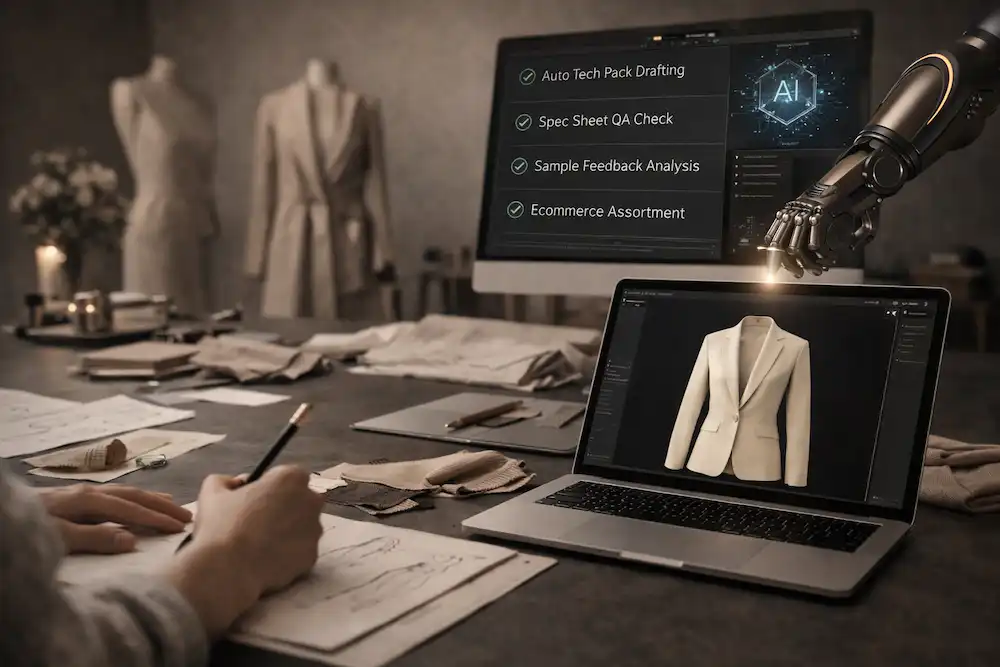

AI fashion workflow software connects fashion ideas to production decisions. It helps teams turn inspiration, sketches, briefs, and garment concepts into structured outputs like design briefs, tech packs, approvals, vendor files, and launch assets. It matters because fashion products fail when decisions live in disconnected tools, vague visuals, and outdated files.
AI fashion workflow software is built for the work that happens between the first idea and the final product handoff. It is not just a tool for making fashion images. It gives creative, technical, merchandising, sourcing, and production teams a shared structure for moving a garment through concept, design, development, sampling, and launch.
That distinction matters.
A fashion brand can generate a beautiful garment image in seconds and still have no production path. The image might show a jacket, dress, hoodie, trouser, or bag. But the team still needs a design brief, flat sketch, BOM, POM table, grading logic, construction notes, colorways, approvals, revision history, vendor handoff files, and launch assets.
The F* Word is built around that full workflow. It connects creative direction, design, technical documentation, production readiness, and launch preparation so teams can make better product decisions without rebuilding the same garment data across multiple files.
For teams focused on factory documentation, see AI tech packs.
Simple definition
AI fashion workflow software is the operating layer between inspiration and production. It does not stop at image creation. It helps teams capture intent, generate options, structure garment data, create technical documentation, review outputs, and move products toward sampling or launch.
That means the software supports the full path from idea to execution.
A creative director can turn a trend direction into a sharper brief. A designer can turn a sketch into garment options. A technical designer can move from concept into flat sketches, POMs, tolerances, construction notes, and grading logic. A product developer can prepare vendor handoff files. A merchandiser can connect product decisions to assortment and launch planning.
Basic AI fashion design apps usually stop too early. They create visual options. That can be useful for ideation, but the fashion workflow does not end when the image looks good.
A real workflow has decisions attached to it:
- What is the garment?
- Who is it for?
- What fabric is intended?
- Which trims are required?
- Which colorways are approved?
- What measurements define fit?
- What construction method should the factory follow?
- Who approved the latest version?
- Which assets are ready for launch?
AI fashion workflow software helps teams answer those questions in one connected structure. The output is a product record that can move from creative review into technical development, vendor communication, sampling, revision, and launch.
What problem does it solve?
Fashion teams do not usually break because they lack ideas. They break because decisions scatter across disconnected tools.
Trend research lives in one deck.
Moodboards live in another.
Sketches live in design files.
Comments live in chat.
Approvals sit in email.
Tech packs sit in spreadsheets.
Vendor notes sit in PDFs.
Launch assets sit in a shared folder.
Each disconnected tool creates a new version of the truth.
That creates real operational damage.
A creative director approves a silhouette in a range review, but the approved detail does not reach the technical designer. A designer updates a trim decision, but sourcing still works from the old BOM. A technical designer adjusts a POM, but the factory receives the earlier measurement table. A merchandiser changes a colorway, but launch assets still show the old version.
AI fashion workflow software fixes this by keeping product decisions connected across the calendar.
Trend research
Trend research often starts broad: market signals, cultural references, runway analysis, street style, material direction, color stories, and competitor movement.
The problem is that research often stays abstract. It becomes inspiration without a clear route into product decisions.
Workflow software helps teams convert trend direction into structured design prompts, product opportunities, silhouette ideas, color stories, and line planning inputs.
Instead of ending with a moodboard, the work moves toward garment concepts.
Moodboards
Moodboards are useful for taste alignment, but they can also become vague.
A moodboard may communicate softness, structure, utility, romance, sport, restraint, or excess. But those signals need translation. A factory cannot sample “elevated utility” unless the team turns that direction into garment type, fabric, trims, construction, fit, and finish.
AI fashion workflow software helps extract design intent from moodboards and connect it to briefs, design options, and product records.
Design
Design teams move fast when they can generate options, compare directions, and make decisions without rebuilding files.
AI can help create variations, explore silhouettes, test colorways, and turn rough inputs into clearer design structures. But the value is limited if those outputs stay as standalone images.
Workflow software connects design options to garment data. That means a selected concept can carry forward into flat sketches, product descriptions, BOMs, POM tables, construction notes, and approval history.
Tech packs
Tech packs are where vague design decisions become expensive.
A factory-ready tech pack needs BOM, POM, grading, tolerances, trims, construction notes, colorways, labels, packaging, approvals, and revision history. If those sections are incomplete, factories guess.
Workflow software helps teams move from approved concept to structured technical documentation. It reduces the manual rebuild between design and production.
For a deeper explanation of this output, see what is a factory-ready tech pack.
Sampling
Sampling slows down when the factory receives unclear instructions.
Missing POM definitions create measurement confusion. Weak construction notes create sewing interpretation. Incomplete BOMs create costing errors. Missing revision history causes old comments to return in the next sample.
AI fashion workflow software reduces ambiguity before sampling. It helps teams prepare cleaner vendor handoff files and track what changed after each review.
The goal is not to eliminate every sample. Complex garments still need physical validation. The goal is to reduce avoidable sample rounds caused by unclear product data.
Launch
Launch teams need accurate product information: names, descriptions, colorways, approved imagery, material details, product claims, size guidance, and final assets.
When launch assets are disconnected from design and development, outdated information reaches e-commerce, wholesale, marketing, or retail teams.
Workflow software helps carry approved product decisions into launch assets. That protects consistency across internal decks, line sheets, campaign planning, product pages, and sales materials.
The core fix is continuity.
One garment. One product thread. Fewer scattered decisions.
AI fashion workflow software vs AI fashion design apps
AI fashion design apps and AI fashion workflow software are often grouped together. They should not be.
AI fashion design apps are useful for visual exploration. They help teams generate garment ideas, styling directions, mood concepts, and image variations.
AI fashion workflow software supports the operational path after a concept matters. It connects the creative asset to the work needed for sampling, vendor communication, approvals, and launch.
| Category | What it creates | Who uses it | Where it stops | Risks | Best use cases |
|---|---|---|---|---|---|
| AI fashion design apps | Garment images, styling concepts, mood visuals, image variations, campaign-style references | Designers, creative teams, founders, marketers | Usually stops at visual output or early concept exploration | Pretty images can be mistaken for production-ready decisions; construction, BOM, POM, grading, and approvals may be missing | Fast ideation, mood exploration, visual direction, concept testing |
| AI fashion workflow software | Structured briefs, design options, flat sketches, BOMs, POM tables, grading inputs, construction notes, colorways, approvals, revision history, vendor handoff files, launch assets | Creative directors, designers, technical designers, product developers, merchandisers, sourcing teams, production teams | Continues past image creation into product development and launch workflows | Requires disciplined review and ownership; weak inputs still need human correction | Moving from inspiration to production with connected product decisions |
| Traditional PLM systems | Product records, materials, costing, approvals, vendor data, seasonal line information | Product development, sourcing, production, operations | Often begins after design direction is already formed or requires manual input | Can be heavy, slow, and disconnected from creative exploration | Managing mature product data across teams and seasons |
| Manual design-to-production workflows | Decks, spreadsheets, PDFs, emails, shared folders, manual tech packs | Everyone in the apparel workflow | Stops wherever the file owner stops updating it | Version control problems, repeated data entry, slow handoffs, vendor confusion | Small teams, simple ranges, legacy workflows |
The distinction is simple.
AI fashion design apps create images.
AI fashion workflow software connects decisions.
A pretty image can help a team say, “We like this direction.” Workflow software helps the team answer, “What is approved, what needs to be made, what needs to be measured, what needs to be sourced, what needs to be sent to the vendor, and what assets are ready for launch?”
That is the practical gap.
The F* Word is built for the second job. It treats AI as a way to reduce ambiguity across fashion workflows, not as a shortcut to isolated visuals.
For teams comparing workflow options, see best AI tech pack software 2026.
Workflow
This is the core flow.
Creative input can be a moodboard, sketch, image, trend direction, line plan note, written brief, or product reference.
AI interpretation reads the input and identifies garment type, silhouette, design cues, possible material direction, construction signals, trims, color story, and product intent.
A structured design brief turns loose inspiration into usable product direction. It should clarify the garment category, target customer, fit direction, aesthetic intent, feature set, fabrication assumptions, and commercial role in the range.
Design options help the team explore variations without losing the original direction. This may include silhouette variations, colorways, trim options, neckline changes, pocket placements, sleeve shapes, hem treatments, or fabric interpretations.
Technical product data turns the approved direction into structured production logic. This includes BOM, POM, grading, tolerances, construction notes, colorways, labels, artwork placement, and other garment-specific details.
Tech pack generation turns that data into a vendor-facing document. It should be editable and reviewed before use.
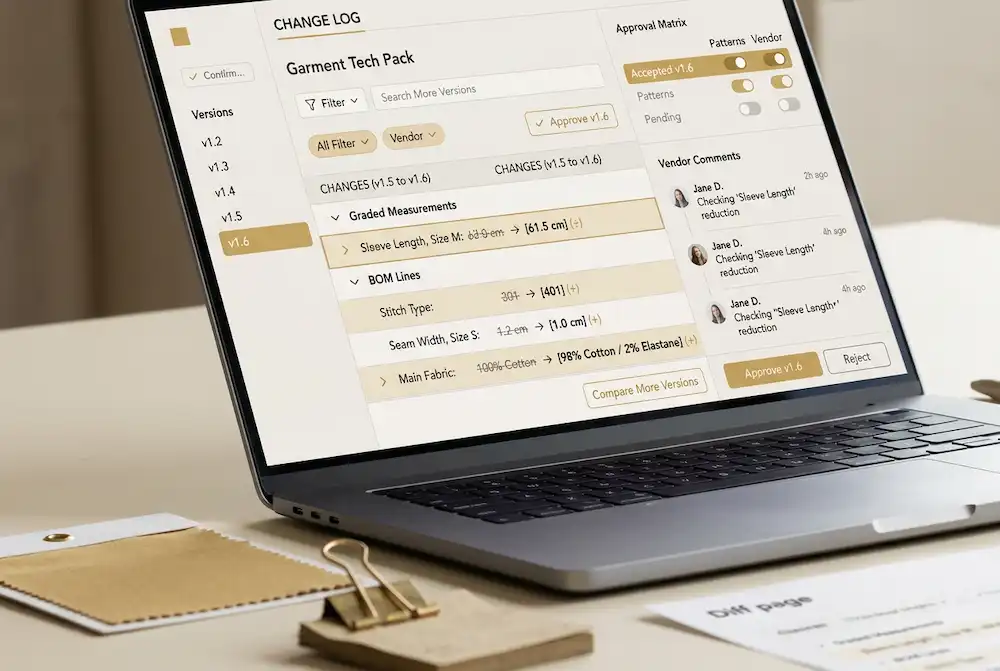
Review, revision, and approval keep the workflow controlled. Teams need to know what changed, who reviewed it, what is approved, and what version is current.
Vendor handoff gives factories clear files for quoting, sampling, revision, and production preparation.
Launch assets carry the approved product information into sales, e-commerce, wholesale, marketing, and internal presentations.
The value comes from moving the garment through this path without losing decisions at each handoff.
What artifacts should the workflow produce?
AI fashion workflow software should produce usable artifacts, not vague outputs. Each artifact should support a real decision inside the fashion calendar.
Design briefs
A design brief should turn creative direction into product instructions.
Required fields should include product category, target customer, season, line plan role, fit direction, style references, silhouette notes, fabric direction, color story, trim direction, price positioning, and key constraints.
This matters because teams need a shared starting point before design development begins. A strong brief reduces interpretation gaps between creative direction, design, merchandising, and product development.
A weak brief creates drift. Designers make options that do not fit the range. Merchandisers question the commercial role. Technical teams lack enough context to prepare development work.
Flat sketches
Flat sketches should show the garment clearly without styling distraction.
Required fields and details should include front view, back view, side or detail views when needed, seams, panels, closures, pockets, trims, stitch lines, hem shape, neckline, sleeves, waistbands, fastenings, and detail callouts.
Flats matter because they give teams a practical view of the garment. A fashion image may show mood. A flat sketch shows structure.
Factories, technical designers, and product developers need flats to understand construction intent. They also help vendors quote more accurately because they can see visible features that affect labor and materials.
BOMs
A BOM, or bill of materials, should list the components needed to make the product.
Required fields should include fabric names, material descriptions, supplier references, material codes, fiber content where known, color references, trim types, trim sizes, placement, quantities, labels, hangtags, packaging materials, and approved substitutions where relevant.
BOMs matter because material decisions affect cost, lead time, quality, compliance, and production feasibility.
A weak BOM creates vendor confusion. The factory may quote the wrong fabric, select substitute trims, miss linings, or ignore packaging. Those mistakes show up as cost changes, bad samples, or late corrections.
POM tables
A POM table, or point of measure table, defines how the garment should be measured.
Required fields should include POM name, measurement description, measurement method, sample size value, tolerance, grading rule, and fit note where needed.
POMs matter because they turn fit into a measurable system. A technical designer and a factory need the same measurement language.
Without POM definitions, fit review becomes subjective. The team says the garment is too long, too wide, or badly balanced, but the vendor may be measuring from a different point.
POM tables reduce that ambiguity.
Construction notes
Construction notes explain how the garment should be made.
Required fields should include seam finishes, stitch types, SPI where needed, pocket construction, hem method, waistband construction, closures, reinforcements, lining details, internal finishes, wash or finishing notes, and any special sewing instructions.
Construction notes matter because a garment can look correct in a flat sketch and still be built incorrectly.
Factories need clear instructions on how to execute the product. Missing construction notes create assumptions. Those assumptions affect quality, cost, durability, and brand consistency.
Colorways
Colorways define approved versions of a style.
Required fields should include colorway name, fabric color, trim color, artwork color, label color, SKU reference, material changes by colorway, and approval status.
Colorways matter because one style may become multiple SKUs. Each SKU needs control.
If colorway data is disconnected, one version of a product may have the wrong trim, wrong artwork color, wrong label, or wrong fabric pairing. That creates errors across sampling, line sheets, wholesale previews, e-commerce setup, and bulk ordering.
Revision trails
A revision trail records what changed.
Required fields should include version number, date, owner, reviewer, change summary, approval status, sample stage, vendor comment, rejected changes, and next action.
Revision history matters because product development is iterative. Styles change after review, sampling, fitting, costing, and merchandising decisions.
Without revision history, teams work from memory. Old comments return. Vendors follow outdated instructions. Designers and technical designers dispute what was approved.
A clear revision trail protects the workflow.
Launch assets
Launch assets help move the approved product into the market.
Required fields and outputs should include product names, product descriptions, approved colorways, feature bullets, material notes, size guidance, line sheet content, e-commerce copy, internal sales notes, campaign references, and approved imagery or visual assets.
Launch assets matter because product information changes during development. If launch teams work from old concept files, product pages and sales decks can misrepresent the final garment.
AI fashion workflow software should carry approved product decisions into launch preparation. That keeps launch content aligned with the final product, not an early version.
What breaks without workflow software?
Disconnected tools create expensive confusion.
Each disconnected tool creates a new version of the truth.
A moodboard says one thing. The sketch says another. The tech pack says another. The vendor email says another. The line sheet says another. The launch asset says another.
That is where errors enter the system.
Inconsistent approvals
Approvals become fragile when they live in comments, meetings, emails, or chat threads.
A creative director may approve a silhouette. A designer may approve a trim. A technical designer may approve a measurement update. Product development may approve a vendor change. But if those approvals are not connected to the product record, they are easy to lose.
The result is simple: teams redo decisions they already made.
Repeated manual rebuilding
Manual rebuilding drains calendars.
A designer copies product notes into a deck. A technical designer copies details into a tech pack. A product developer copies material data into a vendor file. A merchandiser copies product descriptions into a line sheet. A marketing team copies details into a launch document.
Every copy creates risk.
The work is slow, and the data changes as it moves.
Vendor confusion
Factories need clear, current instructions.
When vendor handoff files are incomplete or inconsistent, factories ask questions or guess. Missing BOM data delays quoting. Missing POM data weakens sampling. Missing construction notes changes the build. Missing revision history causes old corrections to repeat.
Vendor confusion is rarely dramatic at first. It shows up as small questions, unclear samples, and repeated corrections.
Then it becomes calendar delay.
Outdated launch assets
Launch assets often get built while product development is still changing.
If launch assets are disconnected from approved product decisions, teams may publish or present outdated information. A product page may mention a fabric that changed. A line sheet may show a discontinued colorway. A sales deck may use the wrong silhouette. A campaign plan may rely on a style that was cut.
Workflow software helps reduce this by connecting launch assets to approved product data.
Slower sampling
Sampling slows down when factories receive unclear documentation.
Missing POMs, tolerances, grading, trims, construction notes, and approval status create back-and-forth. The first sample becomes a test of interpretation instead of a test of execution.
AI fashion workflow software helps create clearer first-pass documentation. Human teams still review it, but the starting point is stronger.
That reduces avoidable sample friction.
Version control problems
Version control issues are common in apparel teams because files move fast.
A vendor may receive Tech Pack v3 while the technical designer is working on v5. A merchandiser may update a colorway after the launch team exports assets. A designer may comment on an old flat. A factory may quote from an outdated BOM.
Version control problems create preventable errors.
A connected workflow makes the current state easier to see.
Role-based value
AI fashion workflow software creates different value for each team. The best systems respect those differences instead of pretending everyone needs the same feature.
Creative directors
Creative directors need to protect the line’s creative direction across many handoffs.
Their challenge is not only approving ideas. It is making sure approved ideas survive technical development, costing, sampling, merchandising edits, and launch preparation.
Workflow software helps creative directors connect inspiration to output. Trend direction becomes design briefs. Design briefs become concepts. Concepts become technical data. Approved products become launch assets.
The operational gain is control. Fewer decisions disappear after review.
Fashion designers
Fashion designers need to move from idea to usable product direction without losing momentum.
They benefit from faster option generation, structured briefs, flat sketch support, colorway exploration, and sketch-to-tech-pack workflows. The point is not to remove design judgment. The point is to reduce repetitive translation work.
Designers still choose the silhouette, mood, proportion, detail, and final direction. Workflow software helps them turn those decisions into structured data that the next team can use.
For sketch-based workflows, see sketch to tech pack.
Technical designers
Technical designers need clarity, measurement control, construction accuracy, and revision discipline.
A connected workflow gives them better inputs: clearer flats, structured product briefs, garment-specific POM suggestions, tolerance fields, grading structure, construction note drafts, and revision history.
They still own technical judgment. They review, correct, and approve the technical details.
The value is that they start from a more organized draft and can spend more time on fit, construction, and production risk.
Product developers
Product developers need clean handoffs between design, sourcing, vendors, and production.
They care about BOM accuracy, trims, costing inputs, sample status, approvals, vendor comments, and export-ready files. They also need to know which version is current.
Workflow software gives product developers a more controlled product record. It reduces the number of open loops across emails, spreadsheets, PDFs, and shared drives.
The operational gain is fewer clarification loops and cleaner vendor communication.
Merchandisers
Merchandisers need product decisions to stay connected to range architecture, pricing, customer needs, and launch planning.
They benefit when design options, colorways, product details, and launch assets are tied to the same workflow. That helps them understand what is approved, what is still in development, which styles are sample-ready, and which assets can support sales or e-commerce.
Workflow software helps merchandisers make assortment decisions with better product clarity.
It also reduces the risk of presenting or launching a product based on outdated information.